AI Cold Email Workflow with Claude Code: A Practical Tutorial
HotHawk is cold email software for serious outbound teams.
Special offer
Get 50% more sending, FREE.
50% extra sending on any plan, every month.
On this page
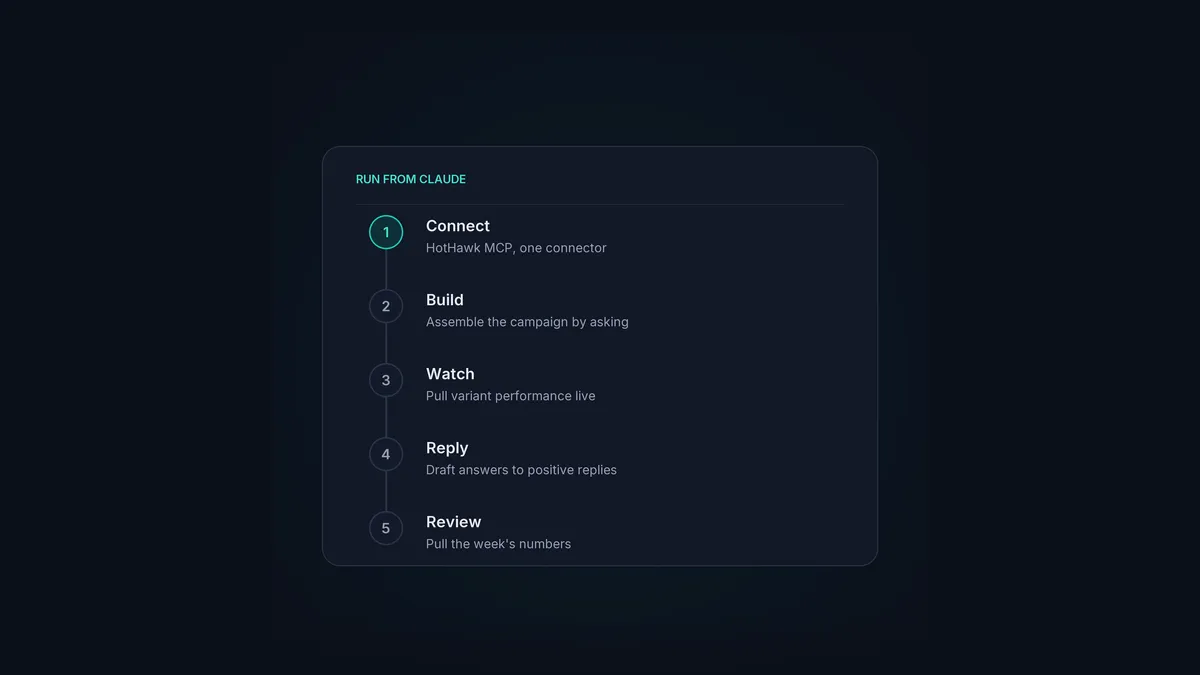
Most “AI cold email” advice stops at the idea. This is the practical version: what it actually looks like to run a cold email operation from Claude, start to finish, using HotHawk’s MCP server. No theory, just the workflow and the kinds of things you say.
It works the same whether you drive it from Claude Code, the desktop app or Cowork, because they all reach the same HotHawk tools. We’ll use Claude Code here, but if your team is non-technical, Claude Code vs Cowork covers the friendlier surface.
The short version
- Connect HotHawk to Claude once as a custom connector, scoped to your workspace.
- Build and launch a multi-step campaign from a single plain-language request.
- Watch variant performance and pause the losers without opening the app.
- Find positive replies in the master inbox and draft answers in the same window.
- The judgement stays yours; Claude just handles the mechanics.
Step 0: connect HotHawk to Claude
Before any of this works, you connect the server. In Claude, add HotHawk as a custom connector and authorise the workspace you want it to act in. It takes a couple of minutes, there’s no code, and access is scoped to the account you point it at. The full setup is on the MCP server page; if you’d rather build directly, it’s all in the API.
Once it’s connected, Claude can do anything you can do in the HotHawk UI. The rest of this is just conversation.
Step 1: build and launch a campaign
Start with the thing that used to be a screen-by-screen setup. You describe the campaign and let Claude assemble it:
“Build a four-step campaign for my US SaaS founders list, sending on US business hours, and launch it across my warmed mailboxes.”
Claude creates the campaign, attaches the list, sets the schedule and sends across your available mailboxes. Want to stage it? Ask it to build but not launch, review what it set up, and tell it to go when you’re happy. You keep the decision; Claude does the clicking.
Need the list first? Same flow:
“Create a list called SaaS founders and upload these 500 leads into it.”
Leads live in custom lists in HotHawk, so this drops them right where the campaign expects them.
Step 2: watch what’s working
A few hours in, you check on it without opening a dashboard:
“How’s the US SaaS founders campaign doing, and how are the subject line variants performing?”
Claude pulls the numbers into the chat: opens, replies, and how each variant is doing in HotHawk’s A/Z testing. You read it where you’re already working, and decide there.
Step 3: act on the results
When a variant’s clearly behind, you cut it:
“Pause the weaker subject line and shift that volume to the winning one.”
Claude makes the change in seconds. You can let some of this run on its own inside HotHawk too, but doing it by asking keeps you close to the campaign while you’re still learning what works. The wider point on how much to automate is in the AI SDR vs AI sequencer guide.
Step 4: work the replies
Once a campaign starts pulling replies, the daily job is triage. The master inbox collects every response, and Claude can sort and surface them:
“Show me today’s positive replies and draft a response to each one.”
It finds the positive responses, drafts answers in your voice, and you approve or edit before anything sends. The mechanical part, finding and drafting, is done; what to actually say stays your call. There’s more on this in AI reply handling for cold email and our reply categorisation.
Step 5: the weekly rhythm
Strung together, a week looks like this:
- Monday: “Build and launch this week’s campaigns to the new lists.”
- Midweek: “How are this week’s campaigns doing? Pause anything clearly losing.”
- Daily: “Show me the positive replies and draft responses.”
- Friday: “Pull the reply and meeting numbers for the week so I can review.”
None of it needs you to open the app, and none of it hands over the decisions that matter. That’s the shape of an AI cold email workflow that actually holds up: Claude runs the mechanics, you keep the strategy. The protocol that makes it possible is explained in MCP for cold email teams.
Run this workflow yourself
Connect HotHawk to Claude as a custom connector and run your cold email by asking: build campaigns, watch variants, and work replies in plain language.
Connect the MCP serverA few common questions
Can I run a whole cold email campaign from Claude? Yes. With HotHawk’s MCP server connected, you build, launch, monitor and adjust campaigns, and work replies, all in plain language. Every feature in the UI has an endpoint that’s in the server.
Do I need Claude Code specifically? No. The same workflow runs in Claude Code, the desktop app or Cowork, because they all reach the same HotHawk tools. Pick the surface that suits whoever’s driving.
Does the AI send things without my approval? Only if you let it. You can have Claude draft replies and stage campaigns for you to review, or let more run automatically once you trust a setup. The control level is yours.
That’s the whole loop: connect once, then build, watch, adjust and reply by asking. The mechanics get faster; the judgement stays human. For the bigger picture on AI in outbound, start with the AI SDR vs AI sequencer guide.
