Cold email analyticsthat show what's working.
See which campaigns bring back positive human replies, and whether they come from the first email or a follow-up. Track human reply rate and positive reply rate across the business or per campaign.
No credit card required.
Trusted by some of the world's top go-to-market teams







The basics
What are cold email analytics?
Cold email analytics are the reports that show how your outbound is performing. How much you send, how many replies come back, how many are positive, and how many are negative or out of office. Read together, they tell you how healthy your sending is and what to do more of to keep positive replies coming.
HotHawk reports on the numbers that predict healthy pipeline. We do not track opens or link clicks, because they hurt deliverability and a tracked open tells you nothing about whether a real person wants to talk. We focus on human replies, positive replies and bounce rate.
What we report on
Last 30 daysNot tracked, by design
The reports
Three reports, one goal.
The business overview gives you the top level picture across every workspace. Workspace reports go deeper on a single project. Campaign reports break down each step and variant. One goal: see what is working and do more of it.
Report 01
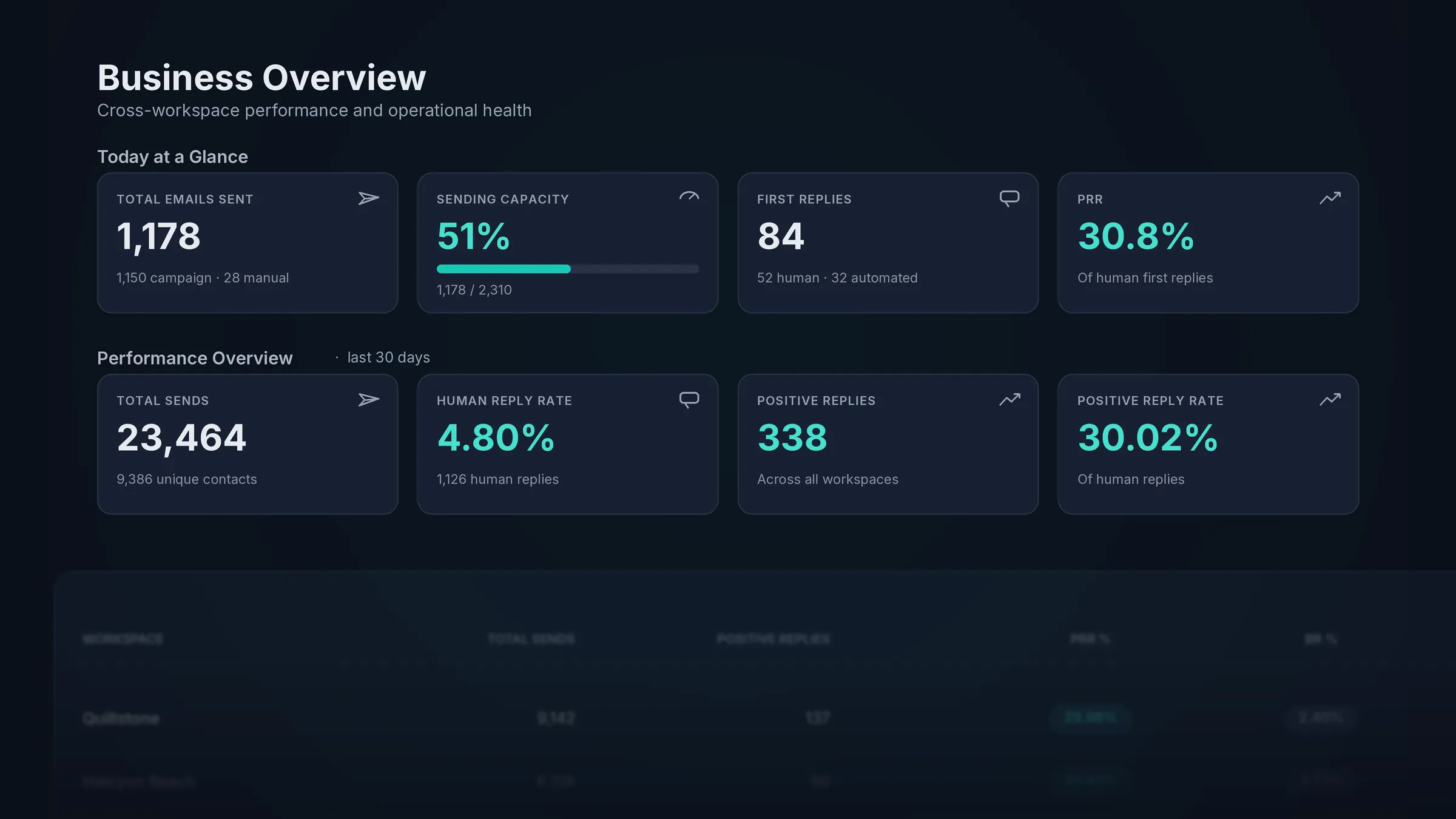
Business Overview
Your top level view across every workspace, and the operational health behind it. See a snapshot of all workspaces in one place and track mailbox performance by provider, so you always know where the business stands.
Report 02
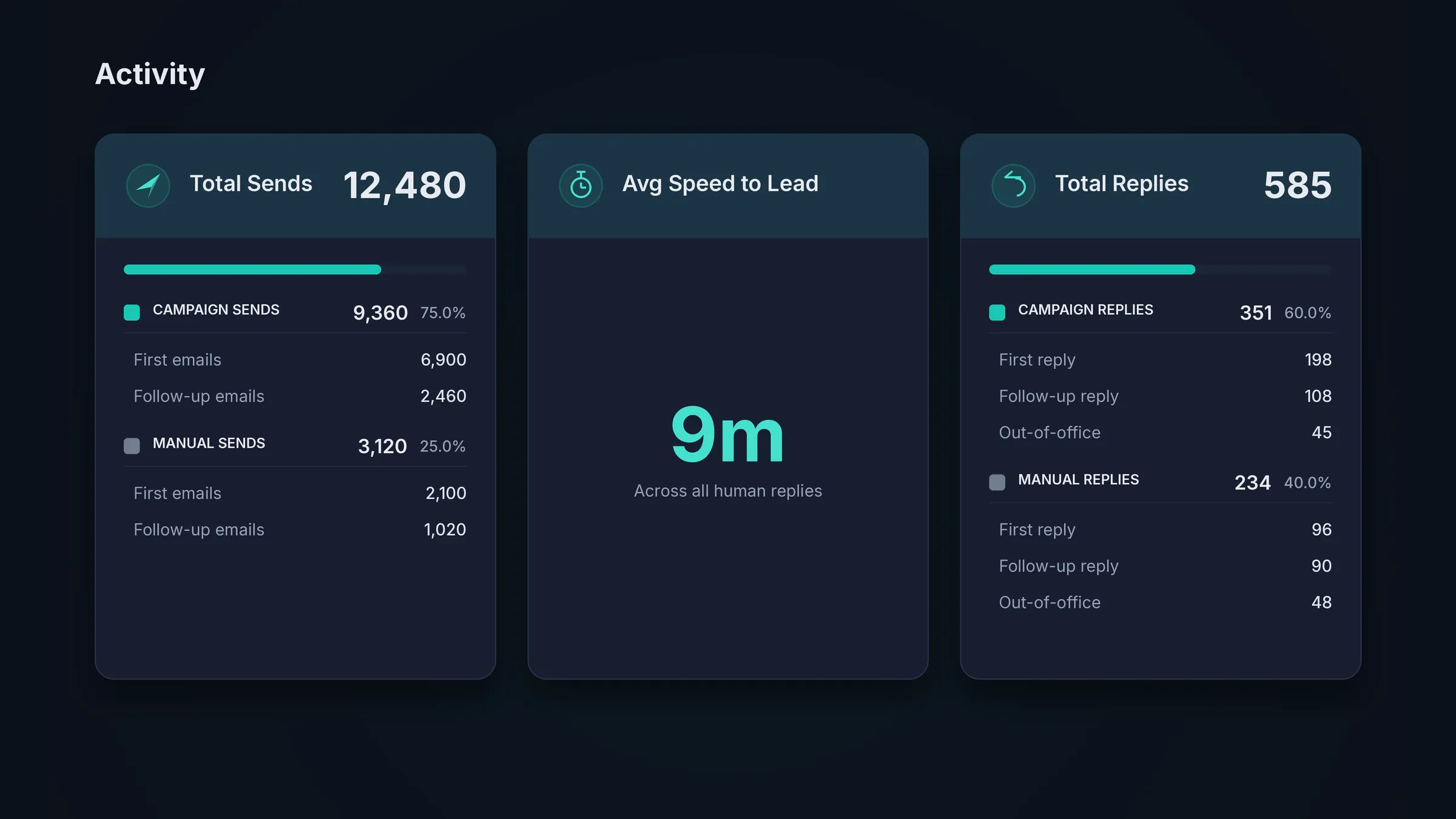
Workspace Report
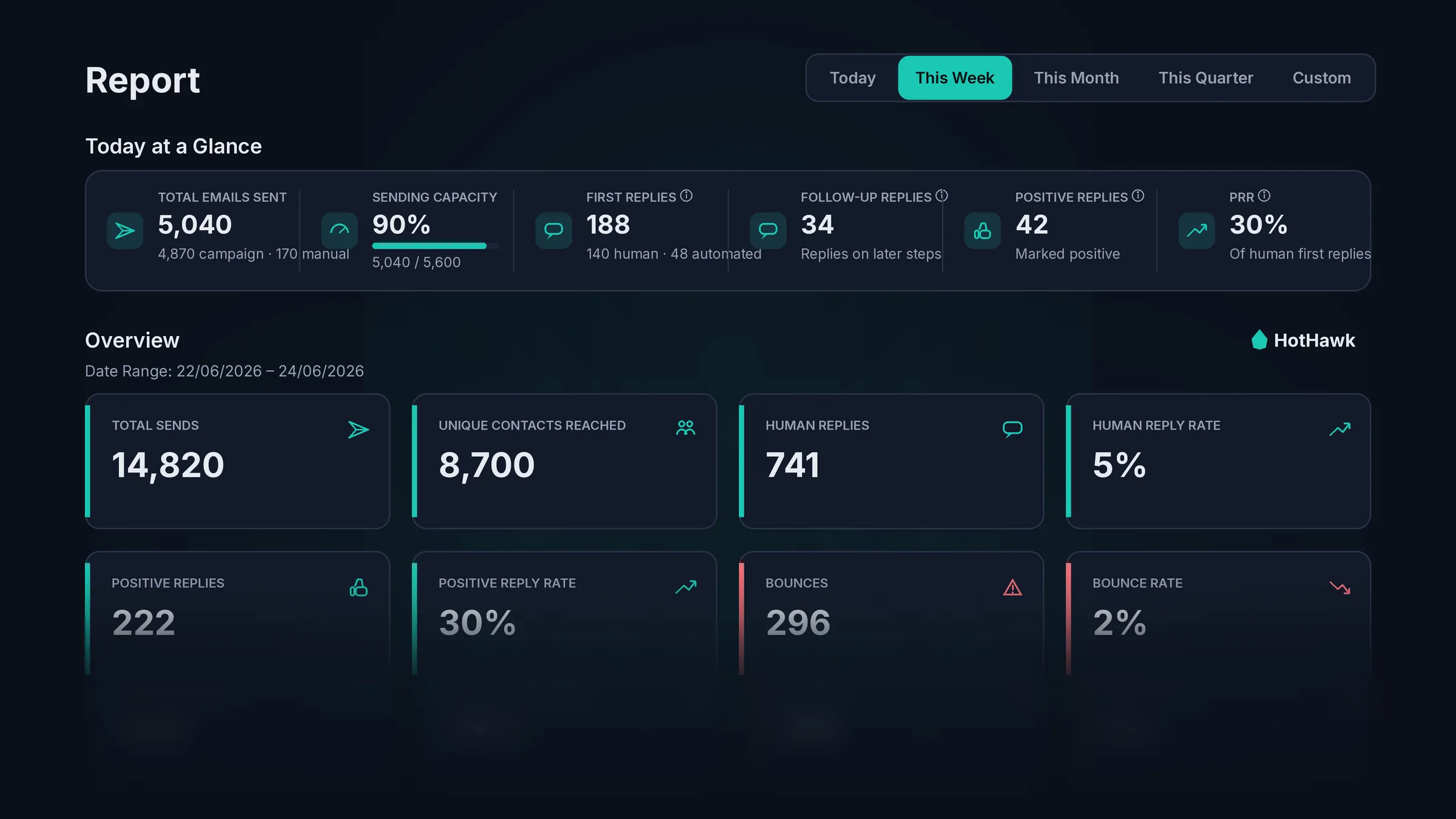
Every key stat for one outreach project in one place. Total sends, unique contacts reached, human and positive reply rates and bounce rate. Go deeper into the types of sends and replies, and check sending health and deliverability.
Report 03
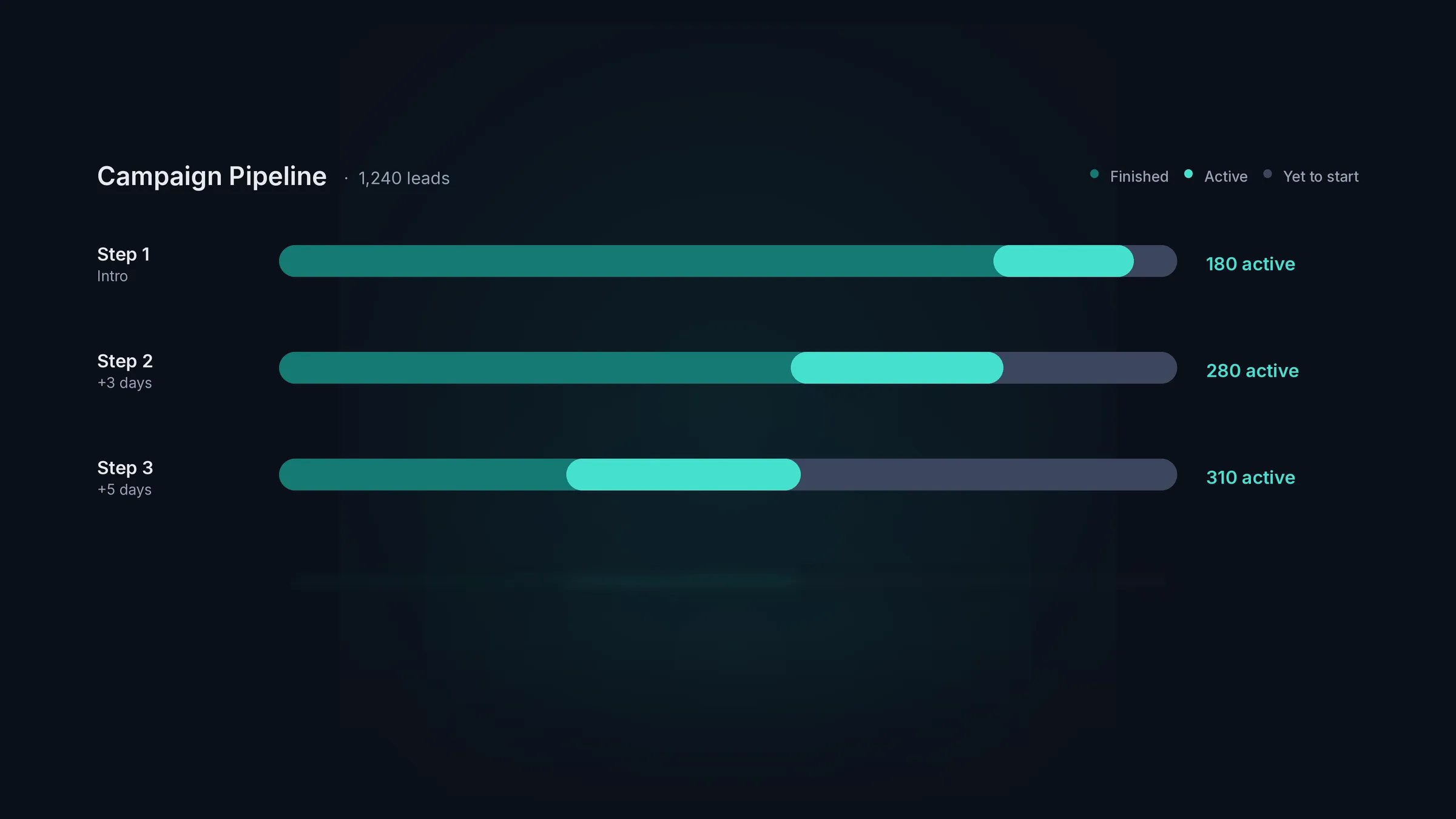
Campaign Report
Track campaign progress in real time. See how many leads are active, how many are yet to start and how many have finished every step. Compare step and variant results from your A/Z testing, and switch off the variants that underperform.
What you can track
Numbers that tell you what to do next.
Today at a glance
Total emails sent, sending capacity still available, first replies from new leads and follow-up replies from existing ones, all updating in real time.
Performance over time
Plot total sends, human replies, positive replies and bounces side by side over any period, so a jump or a drop always has a reason you can see.
Workspace snapshots
Running outreach for several clients? See every workspace in one overview and tell at a glance which clients need attention and which are running smoothly.
Top campaigns
See the best performing campaigns across the whole business, ranked by the positive replies they bring back.
Mailbox provider performance
Compare Google, Microsoft and custom SMTP side by side, and see which is bringing the most positive replies and which is bouncing, across the whole business.
Average speed to lead
Track your average speed to lead and see whether the team is getting back to positive replies fast enough to turn them into deals.
Deals and pipeline
Turn a positive reply into an opportunity, attach a value, and track it on a simple CRM board. Report on deals won, deals lost and the revenue behind them.
Use cases
Who is our cold email software built for?
Cold email analytics FAQs
What are cold email analytics?
Cold email analytics are the reports that show how your outbound is performing: how much you send, how many replies come back, how many turn positive, and how many are negative or out of office. Read together they tell you how healthy your sending is and what to do more of.
Does HotHawk track email opens?
No, and that is deliberate. Open and link tracking add pixels and redirects that hurt deliverability, and a tracked open tells you nothing about whether a real person wants to talk. We leave both off for everyone and report on human replies, positive replies and bounce rate instead.
Which metrics actually matter for cold email?
Human reply rate and positive reply rate first, then bounce rate and deliverability to protect your sending, and speed to lead to make sure good replies are worked fast. Opens and clicks tell you almost nothing useful in cold email.
Can I see performance per campaign and per workspace?
Yes. The campaign report breaks down one campaign by step and variant, the workspace report covers a whole project, and the business overview compares every workspace at once, so you can see what is performing at any level.
Can I track deals and revenue from replies?
Yes. Turn a positive reply into an opportunity, attach a value, and track it on a simple CRM board. You can then report on deals won, deals lost and the revenue behind them, right next to the sending that created them.
Send cold emails that get delivered.Never miss a positive reply.
Serious deliverability paired with the best reply management in the market.
No credit card required.