The master inbox thatcatches every reply.
The best reply management in cold email. Every response across every mailbox in one place, every reply captured, distributed and routed to the right person.
No credit card required.
Trusted by some of the world's top go-to-market teams







The basics
What is a master inbox?
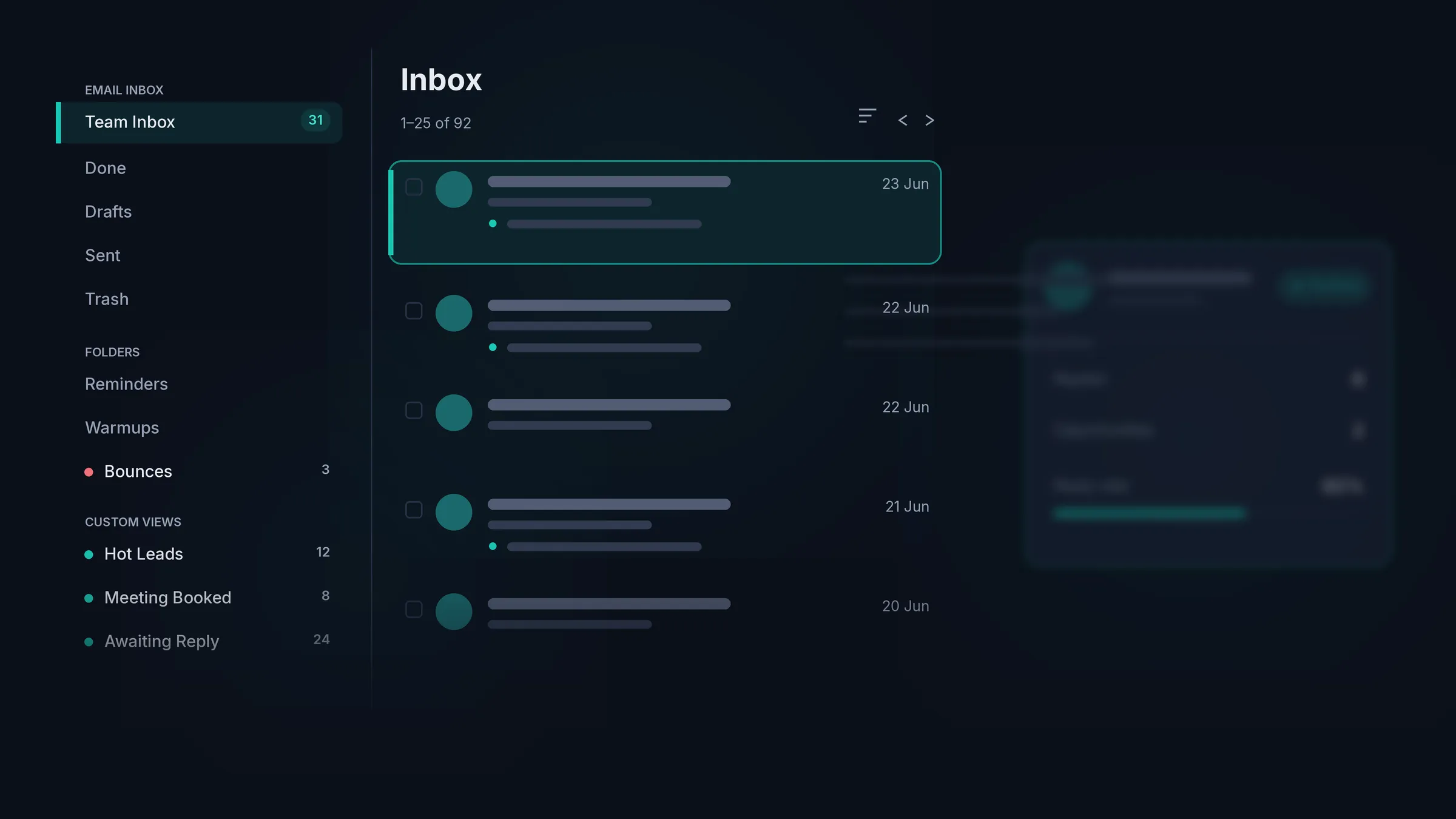
A master inbox is a single place where every reply to your cold email is captured and managed, no matter which mailbox it arrived on. It is the home for your reply management, so a warm lead never gets lost across a dozen separate logins.
HotHawk goes further than a normal sequencer inbox. We connect to your real mailboxes and pull in everything, including the forwarded replies, CC'd contacts and decision-makers you never emailed, then route each one to the right person on your team.
Team Inbox
36 new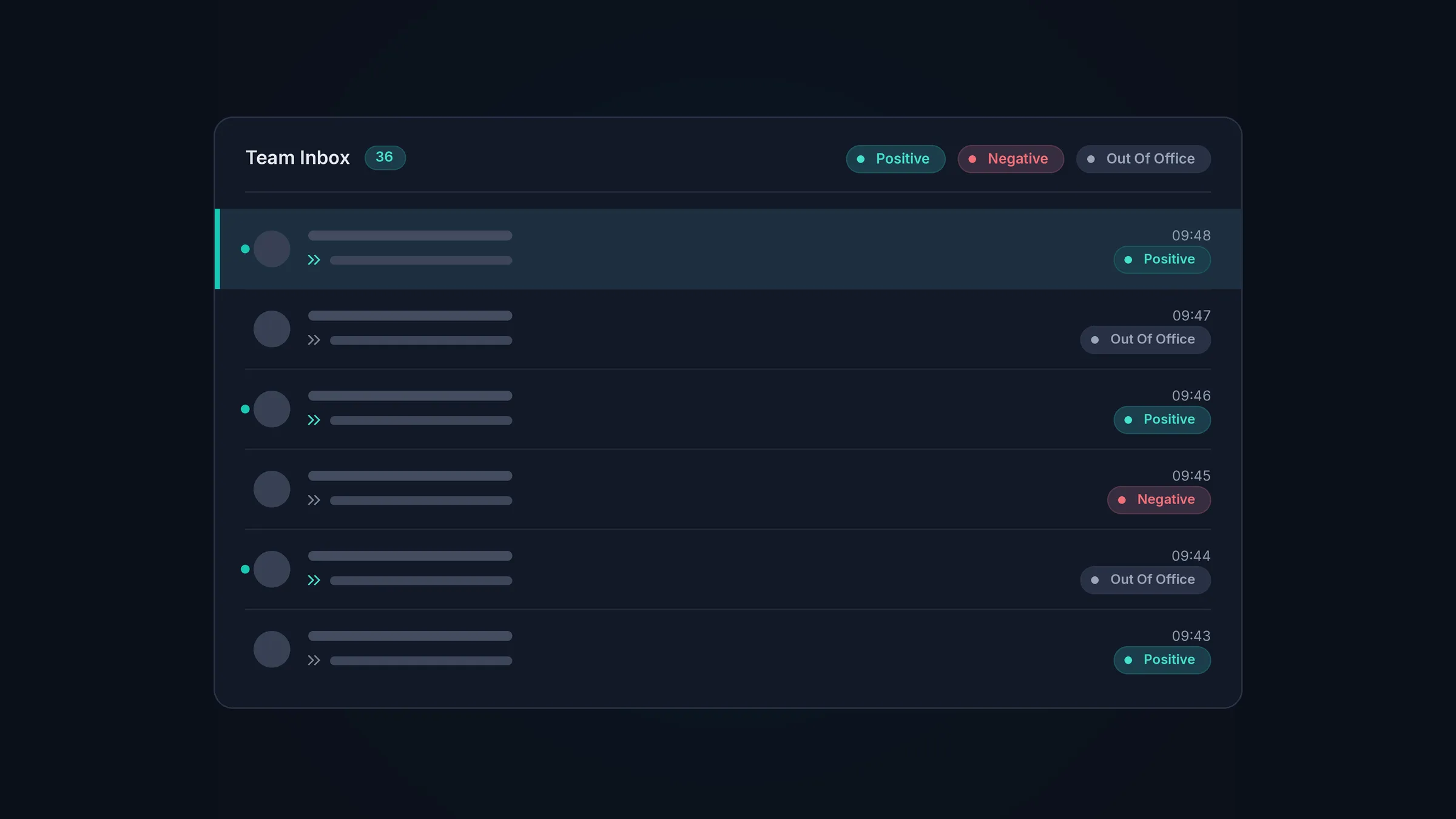
Never miss a reply
Catch every reply, even the ones normally missed by other tools.
We connect to your real mailboxes and pull in every response: the forwarded replies, the CC'd colleagues, the decision-makers you never emailed directly. The warm leads that most sequencers miss, we do not.
Configure how you want it
A master inbox you can configure the way you like it.
Whether you are a solo founder doing outbound or a sales team with 50+ reps, we have an inbox configuration that will work for you.
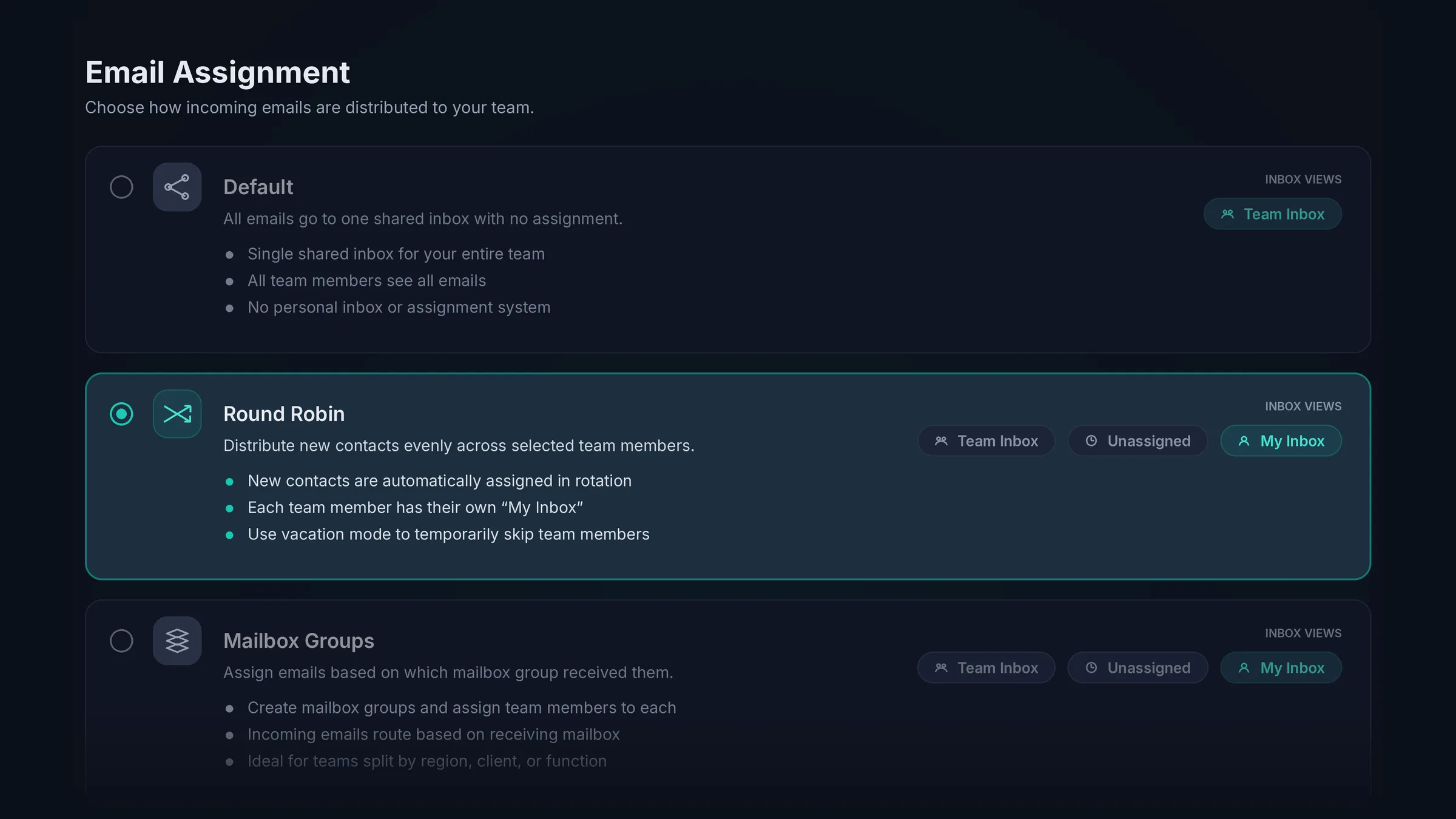
Pick your configuration.
Round robin and mailbox groups assign each reply the moment it arrives, or a default configuration leaves everything in the inbox for your team to grab when they are ready.
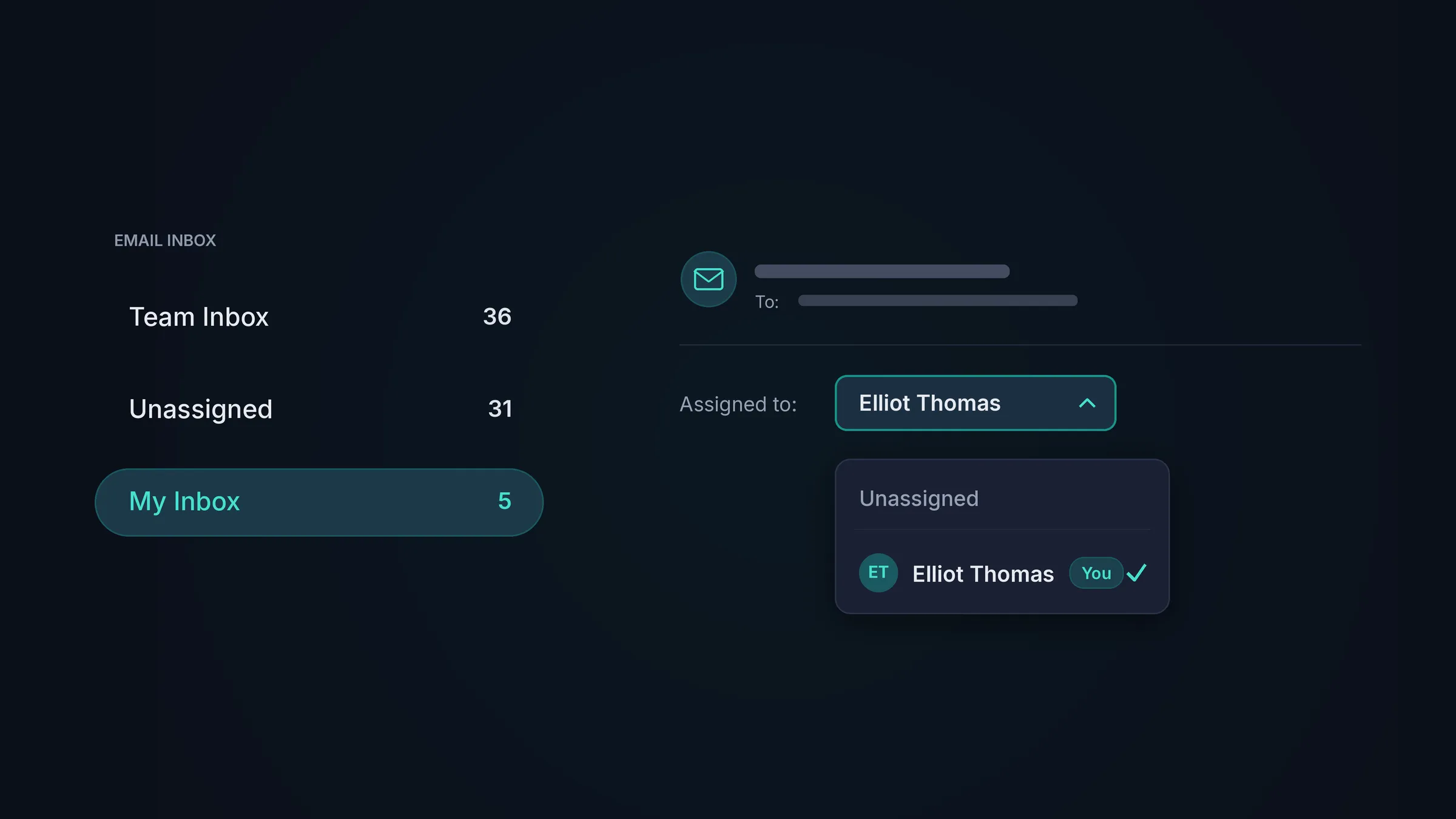
Use a shared team inbox or distribute replies.
Leave everything in one shared team inbox, or give each rep their own My Inbox of just the replies assigned to them. Managers keep the full picture either way.
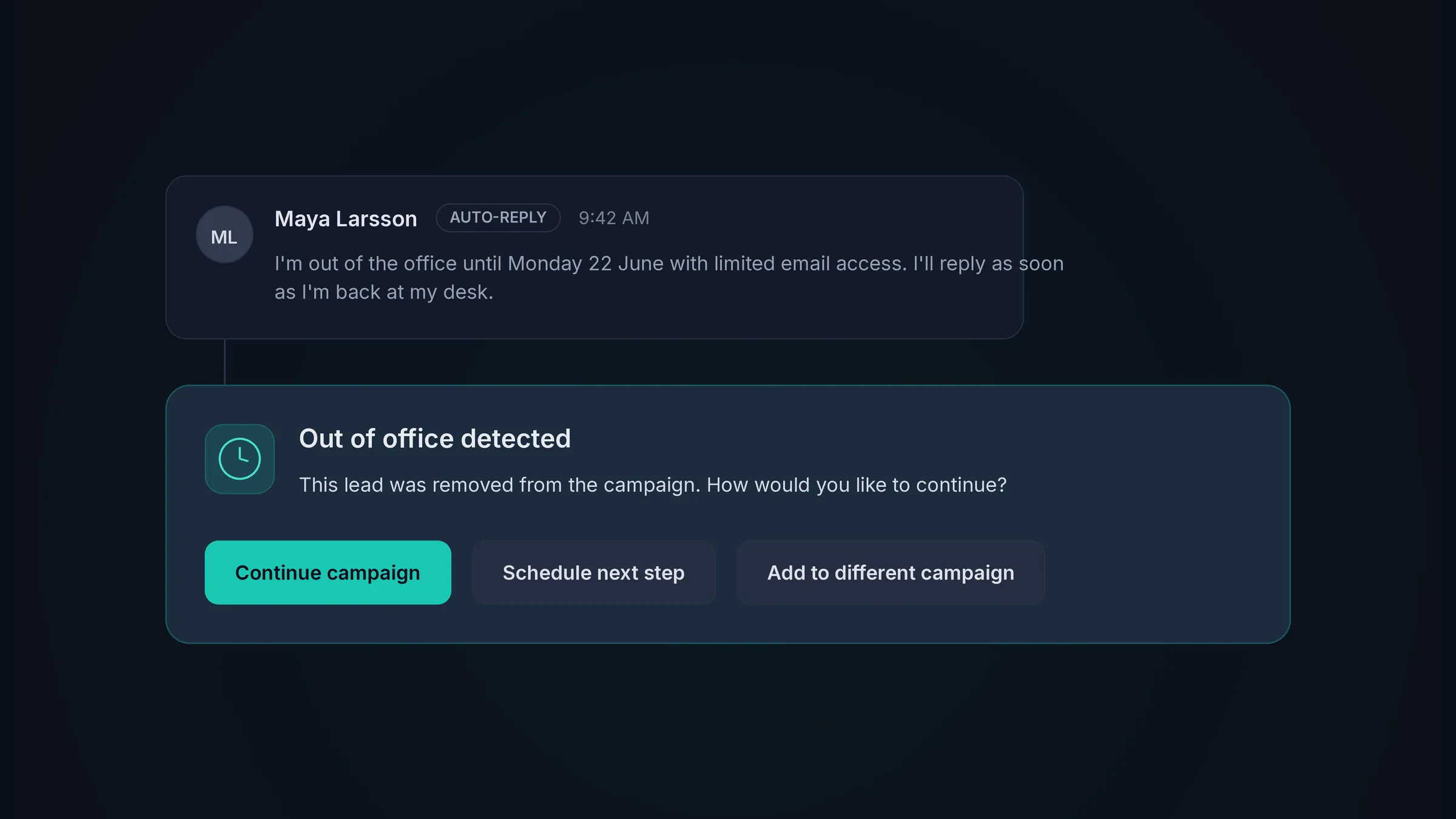
Out of office
Out of office is never a dead end.
HotHawk spots out of office replies automatically and lets you re-add the lead to a campaign now, later, or to a different one. A temporary no turns back into a conversation when the timing is right.
More in every reply
A lot of inbox in one inbox.
AI reply categorisation
Replies are sorted into positive, negative and out of office for you, so your team works the hottest ones first.
LinkedIn replies
Read and reply to LinkedIn conversations in the same place as your email.
Labels and reminders
Tag replies your way and set a reminder on any thread, so nothing slips through the cracks.
Reply without leaving the inbox
Write, save drafts and send your replies straight from the master inbox.
Search and bulk actions
Find any thread in seconds, then label, assign or action replies in bulk.
Speed to lead
Track how fast your team replies as a business, and tighten it over time.
Sub Sequences
Create a mini-series of automated follow-up emails so that hot leads never go cold.
Email Templates
Sending the same or similar emails all the time? Create a template with variables to speed up your workflow.
Schedule Send
Want an email delivered at a specific date and time? Schedule the message to send later.
Follow-up Reminders
Set a reminder to follow up with a lead on a specific day and date so you never forget.
Create Opportunities
Move a hot lead to our CRM board to track deals on a customisable kanban board.
Mailbox Handover
Got a reply on one of your burner mailboxes but want to answer from your main account? Switch the mailboxes and keep it in one thread, so the lead never notices.
Custom Views
Set up filters and segment the inbox into multiple views you create, then make your favourite the default.
Track Bounces
Dedicated folders help you see and track all of your bounced emails in one place.
Compose
Compose brand new emails from any of your burner mailboxes with the built-in Compose feature.
Lead Profiles
Detailed lead profiles with custom variables, plus the ability to leave notes and set reminders.
Use cases
Who is our cold email sequencer built for?
Master inbox FAQs
What is a master inbox?
A master inbox is a single place where every reply to your cold email is captured and managed, no matter which mailbox it arrived on. HotHawk pulls in replies across all your connected accounts so reply management happens in one view rather than across a dozen logins.
Does it catch forwarded and CC'd replies?
Yes, and this is the part most tools miss. We connect to your real mailboxes and pull in everything, including forwarded replies, CC'd contacts and decision-makers you never emailed directly, so a warm lead never slips past you.
How are replies assigned to my team?
Round robin shares new replies evenly across the reps you choose, and mailbox groups route by the account a reply arrived on. Either way each reply gets an owner the moment it arrives, so nothing sits unclaimed and no one answers twice.
Can each rep have their own inbox?
Yes. Every rep gets a personal My Inbox for the replies assigned to them, alongside the team inbox. Managers control who can see what, from a single rep view to the whole team.
Does it handle LinkedIn replies too?
Yes. LinkedIn conversations come into the same master inbox as your email, so your team works every reply, on every channel, from one place.
Does it work across multiple mailboxes?
It is built for it. Connect as many sending accounts as you like and the master inbox brings every reply together, so scaling your sending never means scattering your replies.
Send cold emails that get delivered.Never miss a positive reply.
Serious deliverability paired with the best reply management in the market.
No credit card required.