AI Reply Categorisation: How to Automatically Sort Positive, Negative, and Neutral Replies
HotHawk is cold email software for serious outbound teams.
Special offer
Get 50% more sending, FREE.
50% extra sending on any plan, every month.
On this page
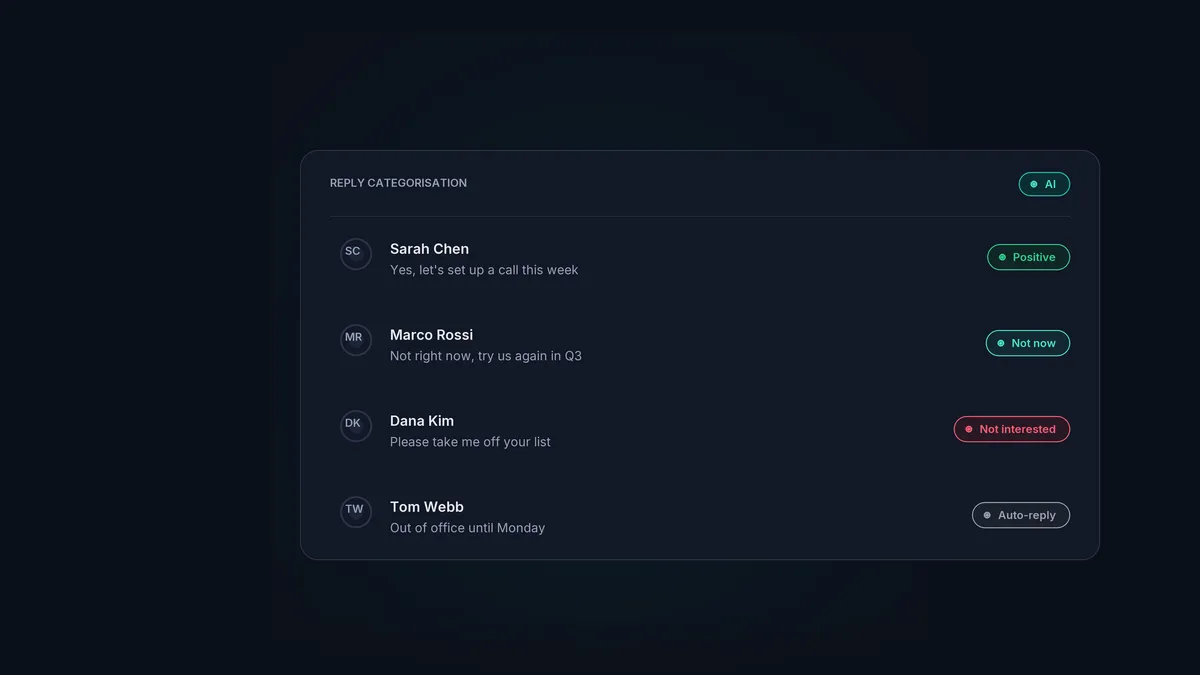
At low volume, reading every cold email reply is easy. At high volume, it becomes the bottleneck. A few hundred replies a week, most of them out-of-office bounces, “not interested” notes, and unsubscribes, and your reps spend more time sorting than selling. The handful of genuinely interested replies, the ones that pay for the whole programme, sit in the same undifferentiated pile as the noise.
AI reply categorisation solves that by reading each reply as it arrives and labelling it, so the inbox sorts itself. Here is what it does, why it matters, and where it actually helps.
The short version
- AI reads each incoming reply and tags it: positive, not now, not interested, or auto-reply.
- The point is prioritisation: interested replies surface first instead of hiding in the noise.
- Categories can trigger actions, like pausing follow-ups or flagging an unsubscribe.
- It saves the most time exactly when you need it: at high reply volume.
- Treat it as a fast first pass, not a replacement for a human on the replies that matter.
What AI reply categorisation does
When a reply arrives, the AI reads it and assigns a category based on what the message actually says. The usual set:
- Positive. Interested, wants to talk, asking for details. The replies you want in front of a rep immediately.
- Not now. Open but not yet. “Try us in Q3”, “circle back after budget season.”
- Not interested. A clear no, or a request to be removed.
- Auto-reply. Out-of-office and other automated responses, which need handling differently from a real human reply.
Instead of a flat list you have to read top to bottom, you get a sorted inbox where the valuable replies are obvious at a glance.
Why it matters
The benefit is not the labels themselves. It is what the labels let you do.
- Prioritise the right replies. A positive reply is worth a hundred out-of-office notices, but in a raw inbox they look identical until you open them. Categorisation pushes the ones that matter to the top, so reps spend their time where the pipeline is.
- Move faster. A positive reply cools quickly. Surfacing it instantly, rather than after a rep has waded through fifty auto-replies, is the difference between catching a warm lead and chasing a cold one.
- Trigger actions automatically. Categories do more than sort. A “not interested” can flag an unsubscribe so you never email them again. Any human reply can pause the campaign follow-ups for that contact, so nobody gets chased after answering.
Where it fits with routing
Categorisation and routing are two halves of the same job. Categorisation decides what a reply is; routing decides who handles it. Together they turn a chaotic inbox into a tidy queue: a positive reply is tagged, assigned to a rep by round robin or mailbox group, and surfaced for an immediate response, while the auto-replies and unsubscribes are handled quietly in the background.
That is how HotHawk’s reply management inbox is built. Every reply across every mailbox is categorised as it arrives, routed to the right person, and the follow-ups pause for anyone who has answered, so your team only ever looks at the replies that need a human.
Let the inbox sort itself
HotHawk categorises every reply as it arrives, routes it to the right rep, and pauses follow-ups for anyone who answers, so your team works the leads that matter.
Start your 7 day free trialHow accurate is it, and where are the limits
Modern language models are good at this. Distinguishing an interested reply from an out-of-office or an unsubscribe is squarely in their strengths, and accuracy on the common categories is high. The edge cases are the interesting ones: a reply that is polite but non-committal, or a “not now” that is really a soft yes if you read between the lines.
So treat categorisation as a fast, reliable first pass rather than a final judgement. It does the heavy lifting of clearing the noise and surfacing the positives, which is where the time goes. The borderline replies still benefit from a human eye, and a good setup makes it easy to recategorise on the rare occasion the AI gets one wrong.
A few common questions
What categories does AI reply categorisation use? Typically positive (interested), not now, not interested or unsubscribe, and auto-reply or out-of-office. The exact set can vary, but those four cover most cold email replies.
Does it replace a human reading replies? No. It is a first pass that clears the noise and surfaces the replies worth a human response. People still handle the conversations that matter.
Can categories trigger actions automatically? Yes. A common setup pauses follow-ups for any human reply and flags unsubscribes from “not interested” replies, so the right thing happens without manual work.
AI reply categorisation does not replace your judgement; it clears the path to it. By reading every reply and sorting the noise from the signal, it puts the replies that actually drive pipeline in front of your team first, which at high volume is exactly where the time and the deals are won.
