Claude Code vs Cowork: The Differences for Sales Teams
HotHawk is cold email software for serious outbound teams.
Special offer
Get 50% more sending, FREE.
50% extra sending on any plan, every month.
On this page
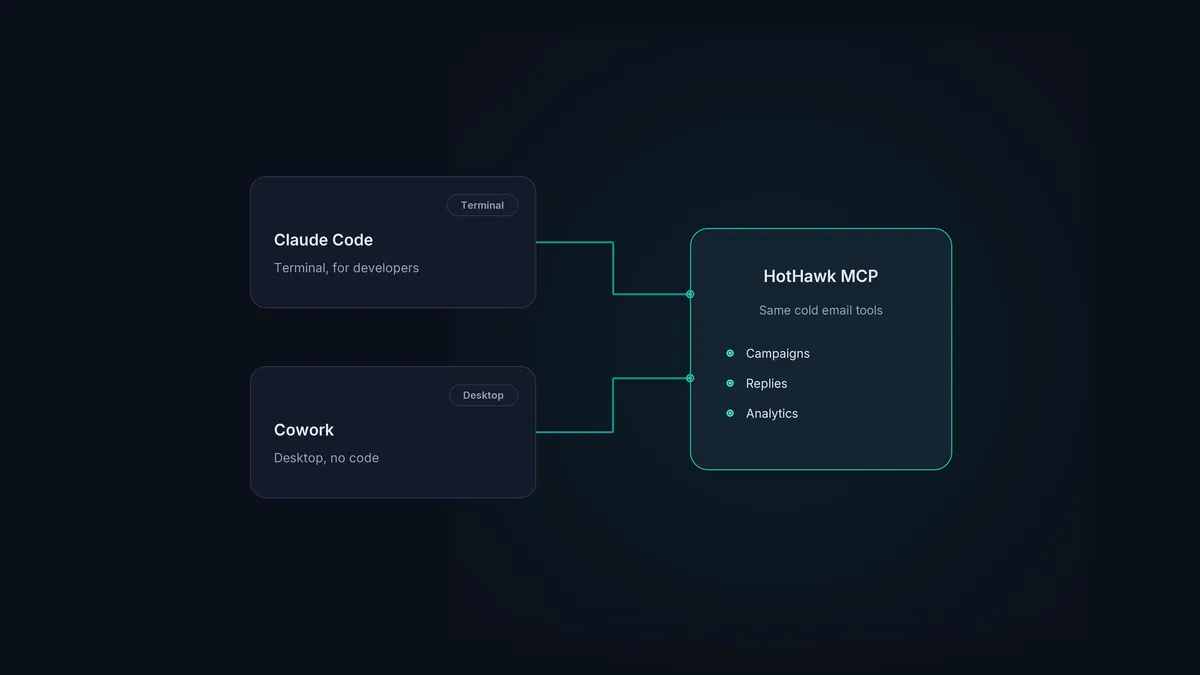
Anthropic ships two agentic versions of Claude a sales team might reach for, and they’re aimed at very different people. Claude Code is a terminal tool built for developers. Cowork is a desktop agent built for knowledge work, with no terminal in sight. Both can drive HotHawk over the same MCP server, so the real question isn’t which one is more capable, it’s which surface fits your team.
Here’s the difference in plain terms, and which to pick for running cold email.
The short version
- Claude Code is a terminal-based tool for developers; it suits whoever scripts and automates.
- Cowork is a desktop agent for non-technical work, set up in minutes with no command line.
- Both connect to the same HotHawk MCP server, so your cold email tools are identical in either.
- For most sales teams, Cowork or the Claude desktop and web apps are the natural fit.
- Pick by who on the team is driving, not by which product sounds more advanced.
What Claude Code is
Claude Code is Anthropic’s coding agent. It lives in the terminal and the IDE, and it’s built for people who are comfortable there: developers, technical ops, anyone who wants to script repeatable workflows. You install a CLI, set up permissions and scope, and learn a few command patterns.
For a sales org, that profile fits one person more than the whole team: the technical ops or RevOps person who wants to wire HotHawk into a wider stack, build a repeatable routine, or work straight against the API. In their hands it’s powerful, because they can chain HotHawk with other tools and automate the bits they run every week.
What Cowork is
Cowork is the opposite end. It’s a desktop agent that works on your actual files and apps, runs multi-step tasks from start to finish, and needs no coding at all. Anthropic built it after non-technical people started using Claude Code for file work and document drafting, and wanted those abilities without the terminal. You open Claude Desktop, point Cowork at what you want done, and describe the task in plain language. Setup takes minutes, and it runs in an isolated environment so it’s safe to let loose.
That profile fits a sales team much better. An SDR, an AE or a founder doing their own outbound doesn’t want a command line. They want to ask for something and have it done.
The part that matters: both reach the same HotHawk
Here’s the bit most comparisons miss. For cold email, the surface barely matters, because HotHawk connects to Claude as a custom connector, and the same set of tools is there whether you’re in Claude Code or Cowork.
Every feature in HotHawk has an API endpoint, and every endpoint is in our MCP server. So “build a four-step campaign for US time zones and launch it” or “find my positive replies and draft responses” does the same thing in either product. You’re talking to the same HotHawk underneath. The AI cold email workflow with Claude Code walks through what that looks like in practice, and it reads almost identically in Cowork.
So which should a sales team use?
- Most of the team: Cowork, or the Claude desktop and web apps. No setup friction, no terminal, and the full HotHawk toolset available by asking. This is where the day-to-day of building campaigns and working replies happens.
- Your technical person: Claude Code. If someone wants to script a weekly routine, batch jobs, or wire HotHawk into other systems, Claude Code gives them the control to do it, with the REST API underneath when they want to go further.
You don’t have to pick one for the whole company. Connect HotHawk once and let people work where they’re comfortable.
One connector, every Claude surface
HotHawk's native MCP server runs your cold email from Claude, whether your team is in Cowork, the desktop app, or Claude Code. Set it up in a couple of minutes.
Connect the MCP serverA few common questions
What’s the difference between Claude Code and Cowork? Claude Code is a terminal-based agent for developers who are happy on a command line. Cowork is a desktop agent for non-technical knowledge work, set up in minutes with no coding. Both run multi-step tasks; they just differ on who they’re built for.
Which should a sales team use to run cold email? For most of the team, Cowork or the Claude desktop and web apps, because there’s no setup friction. For a technical ops person who wants to automate, Claude Code. Both connect to the same HotHawk MCP server.
Do I need to know how to code to run HotHawk from Claude? No. HotHawk connects as a custom connector in a couple of minutes, and you drive it in plain language. Coding only comes in if you want to build directly against the API.
The honest takeaway: don’t get stuck on the Claude Code versus Cowork debate. Pick the surface that suits whoever’s driving, connect HotHawk once, and the cold email tools are the same in both. For the wider picture, the AI SDR vs AI sequencer guide covers how this fits your outbound.
