Speed to Reply: How Your Response Time Directly Affects Cold Email Conversion
HotHawk is cold email software for serious outbound teams.
Special offer
Get 50% more sending, FREE.
50% extra sending on any plan, every month.
On this page
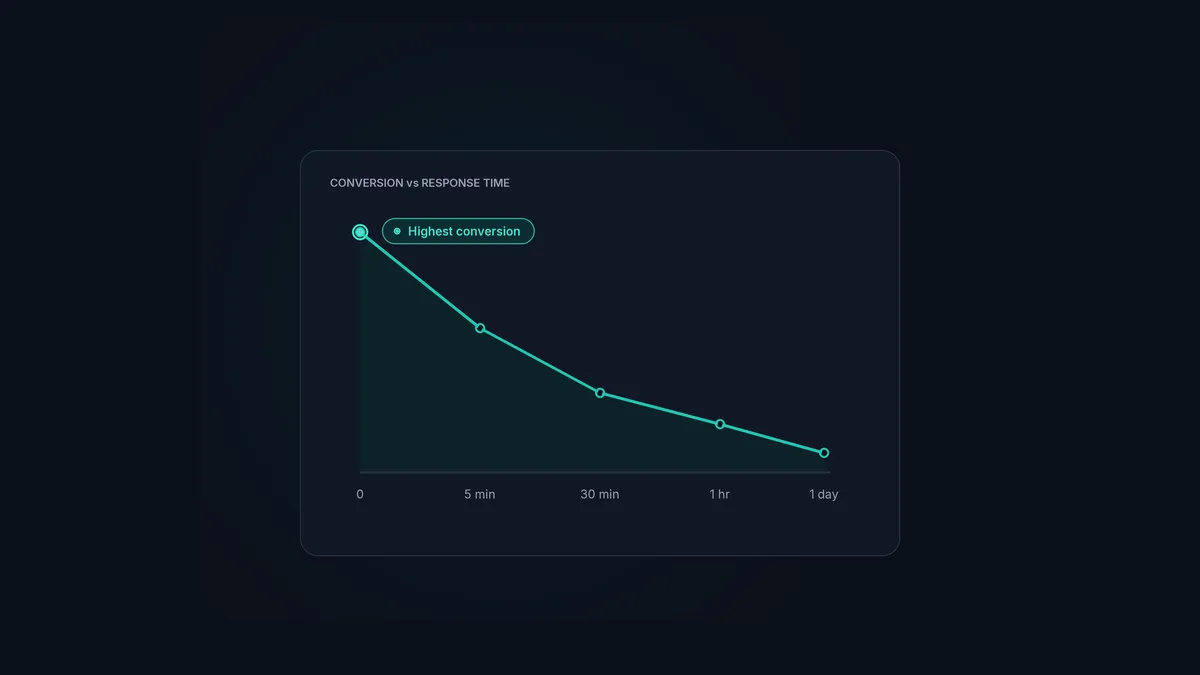
You can run a brilliant campaign, write sharp copy, and earn a stack of positive replies, and still lose most of them for one unglamorous reason: you replied too slowly. A positive reply is not a deal. It is a window, and the window starts closing the moment it opens.
Speed to reply is the discipline of getting a real response back to an interested prospect fast, while the interest is still there. It is one of the highest-impact things an outbound team can fix, and most teams ignore it because it lives in operations rather than strategy.
The short version
- A positive reply cools fast. Respond in minutes and it converts far better than a reply chased the next day.
- The delay is rarely the prospect's fault. It is the time your reply spends sitting unseen or unassigned.
- Most of the lost time is triage: working out who handles a reply, not writing the response.
- Fix it with routing, not heroics. Auto-assign replies so there is no pile to sort.
- Measure speed to reply at the team level and treat it as a number that matters.
Why interest cools so quickly
When someone replies “yes, interested”, they are at a peak. They have a problem on their mind, a moment of attention, and the willingness to act. Every hour that passes pulls them back into their day. The meeting they were about to book gets bumped by a fire drill, a competitor emails, the urgency fades. By the next morning, the reply that felt hot is lukewarm.
This is why response time maps so directly onto conversion. It is not that a slow reply is rude. It is that you have missed the window when the prospect was ready to move, and you are now trying to rebuild momentum from cold.
Where the time actually goes
Here is the part teams get wrong: the slow bit is almost never writing the response. A good rep can reply to an interested prospect in two minutes. The delay is everything that happens before they start typing.
The reply arrives in one of many mailboxes. Nobody is watching that one right now. When someone does spot it, they are not sure whose lead it is, so it sits while that gets sorted. Maybe it was a forwarded reply, so it never looked like a lead at all. By the time a named person actually owns it and opens the editor, hours have gone, and none of them were spent on the reply itself.
So speeding up is not about typing faster or being permanently glued to the inbox. It is about removing the dead time between a reply arriving and a person owning it.
How to respond faster without burning anyone out
The answer is systems, not heroics. Asking reps to watch every inbox constantly does not scale and makes people miserable. These do scale:
- Auto-route every reply. The single biggest win. When a reply is assigned to a named owner the instant it arrives, by round robin or mailbox group, the triage delay disappears entirely. There is no pile to sort because every reply already has an owner.
- Surface the positives first. Use AI categorisation so interested replies jump to the top instead of hiding behind out-of-office notices. Reps spend their attention where it converts.
- Catch every reply in one place. A reply management inbox that gathers replies from every mailbox, including forwards and CC’d colleagues, means nothing waits in an inbox nobody is watching.
- Pause the follow-ups. When a rep takes over, the campaign should stop chasing that contact, so the human conversation is never undercut by automation.
- Have responses ready. Quick-to-adapt templates for the common openings mean the reply itself takes seconds. The follow-up templates guide has a set to start from.
None of these ask anyone to work harder. They remove the steps that were eating the time.
Speed is a reply management problem
Notice that every fix above is about reply operations, not about the rep being faster. That is the real point: speed to reply is decided by your systems, not your willpower. A team with great routing and one shared inbox will out-convert a team of harder workers checking mailboxes by hand, because the hard workers are losing the race in the dead time before anyone even sees the reply.
This is exactly why we treat routing, categorisation and auto-pause as core to reply management rather than extras. The whole job is to shrink the gap between a reply arriving and a person responding, and that gap is where the conversion lives. The wider context sits in the cold email follow up guide.
Close the gap between reply and response
HotHawk catches every reply, routes it to an owner instantly, and surfaces the positives first, so your team responds while the lead is still warm.
Start your 7 day free trialA few common questions
How fast should I respond to a cold email reply? As fast as you reasonably can, ideally within minutes for a positive reply. Conversion falls off sharply the longer an interested prospect waits.
Why does response time affect conversion so much? Because interest is highest the moment someone replies and fades quickly afterwards. A fast response catches the prospect while they are still ready to act.
How do I respond faster without watching the inbox all day? Automate the routing. Auto-assign each reply to an owner the instant it arrives so there is no triage delay, and surface positive replies first so they are never buried.
Speed to reply is the quiet multiplier on every campaign you run. The replies are only worth what you do with them, and what you do is mostly decided by how fast a real person sees and owns each one. Fix the operations, shrink the dead time, and the same replies start turning into far more meetings.
