How Email Warmup Works and Whether You Still Need It in 2026
HotHawk is cold email software for serious outbound teams.
Special offer
Get 50% more sending, FREE.
50% extra sending on any plan, every month.
On this page
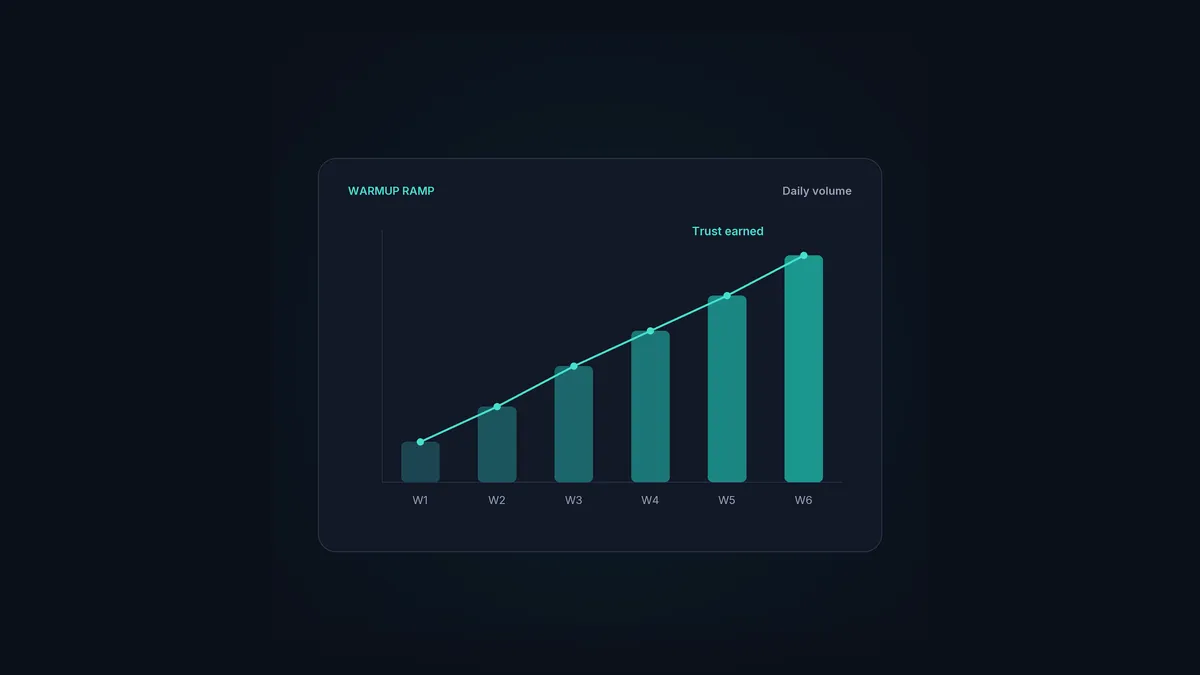
Warmup is how you build a new mailbox’s reputation before you point it at real campaigns. You send a small but slowly rising trickle of email that gets opened and replied to, which teaches the mailbox providers you’re a real, trusted sender. Then, when your cold campaigns start, you’re not some total stranger turning up at volume.
This is the plain-English version: how warmup actually works, how long it takes, how to tell it’s working, and when built-in warmup is enough versus a separate tool. If you want standalone products ranked head to head, that’s over in best email warmup tools. This one’s the explainer.
The short version
- Warmup builds a new mailbox's reputation before you send cold campaigns.
- It works by mimicking normal, engaged activity: sends that get opened and replied to.
- Real-inbox warmup is far more convincing than bot or SMTP warmup.
- Expect two to four weeks for a new mailbox, then keep it ticking over.
- Warmup built into your sender usually beats a bolted-on separate tool.
Why a new mailbox needs warmup
Providers don’t trust senders they’ve never seen, and fair enough, spammers spin up fresh domains all day long. So a brand-new mailbox that immediately starts firing out dozens of cold emails looks exactly like one, and gets treated like one. There’s no history to vouch for it.
Warmup gets you past that cold start. Build a track record of normal, engaged activity first and the mailbox earns a baseline of trust. By the time your real campaigns kick off, providers have a reason to give you the benefit of the doubt instead of the spam folder.
How warmup actually works
Under the hood, warmup imitates how a healthy, established mailbox behaves:
- It starts small and ramps up. A handful of emails a day to begin with, climbing gradually so the curve looks organic rather than a sudden blast.
- The emails get engaged with. Warmup messages are opened, replied to, and dragged out of spam if they arrive there. That engagement is the strongest positive signal a provider tracks.
- It keeps running in the background. Warmup isn’t a one-off. It carries on quietly alongside your real sending.
The part that matters most is what those warmup emails are sent to and from. That’s where the quality difference lives.
How long warmup takes
There’s no instant version, and anyone promising one is selling you something. Realistically:
- A new mailbox: two to four weeks of ramping before it’s ready for proper cold volume.
- A new domain: longer, because you’re building the domain’s reputation from scratch alongside the mailbox.
- Ongoing: keep warmup running in the background even after a mailbox is “ready”, so it holds its reputation and can shrug off the odd spam complaint without tanking your score.
Rushing this is the single most common deliverability mistake. A few weeks of patience now saves you months of clawing back a burned domain later. Same goes for scaling your volume afterwards, which is where inbox rotation comes in.
How to tell warmup is working
You’re watching for signs the mailbox is being treated as trustworthy:
- Warmup emails arriving in the inbox rather than spam, at a rising rate.
- A healthy reputation score in something like Google Postmaster Tools as the mailbox matures.
- Low bounce and complaint rates once you start real sending.
- Cold campaigns getting normal open and reply rates instead of silence, which usually means you’re being spam-foldered.
If your real campaigns go flat the moment you launch, that’s a sign the mailbox wasn’t warmed enough, or something else in your deliverability stack is broken.
Do you still need warmup in 2026?
More than ever. As providers tightened their sender requirements, the penalty for looking like an untrusted sender went up, not down. A cold domain with no warmup now risks getting rejected outright, not just filtered to spam. Warmup stopped being a clever growth hack a while ago. It’s the price of entry for sending cold email at all.
Built-in warmup vs a separate tool
You can warm up with a standalone product, or with warmup baked into your sender. For most cold email teams, built-in wins:
- It’s tied to the mailbox you actually send from, so the reputation you build is the reputation you use.
- There’s nothing to wire up or pay for separately, and no second tool to keep in sync.
- It runs on its own alongside your campaigns, maintenance warmup included, without you babysitting it.
That’s how HotHawk does it: warmup is native, runs on a pool of real Google and Microsoft inboxes, and works automatically on every mailbox you connect. If you’d rather weigh up standalone options, the best email warmup tools roundup ranks them honestly.
Warmup, built into the sender
HotHawk warms every connected mailbox on a pool of real Google and Microsoft inboxes, automatically and continuously. No bots, no SMTP, no separate tool.
See how warmup worksA few common questions
How long does email warmup take? Roughly two to four weeks for a new mailbox, and longer for a new domain. After that, keep it running in the background to hold your reputation rather than switching it off once campaigns begin.
Do I still need warmup in 2026? Yes. Stricter sender requirements mean a cold, unwarmed domain risks being rejected outright, not just filtered to spam. Warmup is a baseline requirement for sending cold email now, not an optional extra.
Is built-in warmup better than a separate tool? For most cold email teams, yes. It builds reputation on the exact mailbox you send from, runs on its own, and needs no separate subscription or syncing. Standalone tools make more sense when your sender has no warmup of its own.
Warmup is the boring groundwork everything else in cold email sits on. Build the reputation slowly, on real inboxes, keep it topped up, and your campaigns start from trust instead of suspicion. For where it fits the bigger picture, see the deliverability guide.
