How to Use ClientBox to Manage Cold Email Clients in HotHawk
HotHawk is cold email software for serious outbound teams.
Special offer
Get 50% more sending, FREE.
50% extra sending on any plan, every month.
On this page
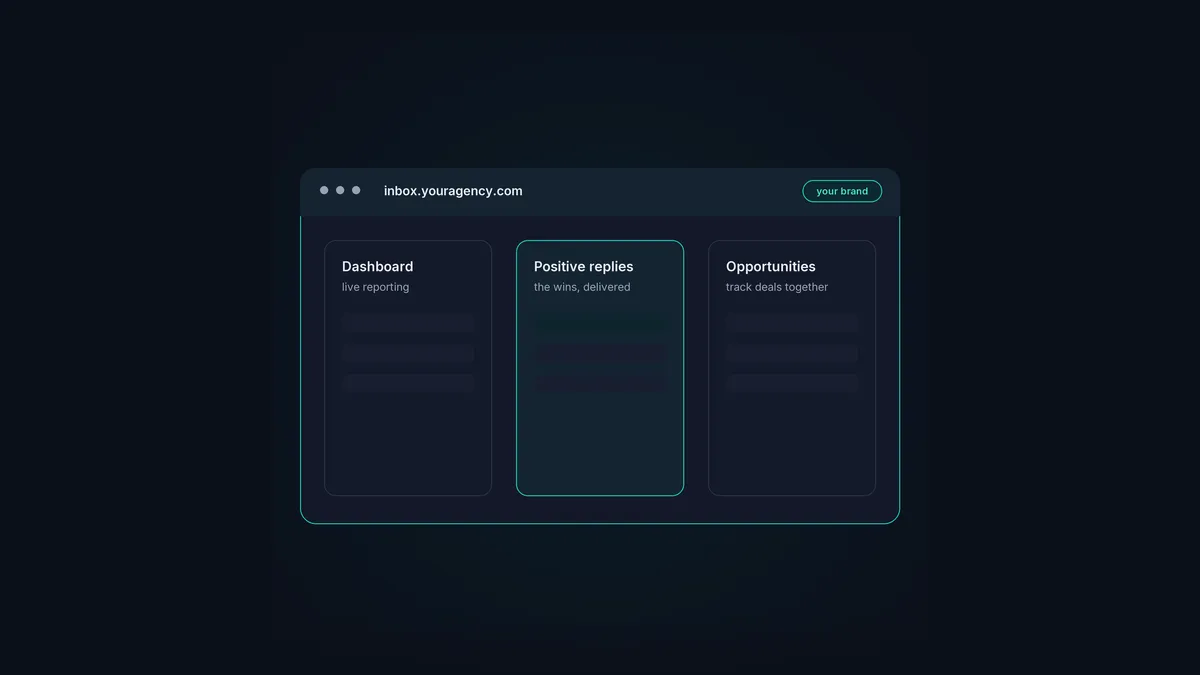
ClientBox is HotHawk’s white-label client portal, built specifically for cold email agencies. It’s the part your clients log in to: a branded space on your own domain where they see their reporting, their positive replies, and the opportunities you’re tracking together. Everything else, the sending, the warmup, the inbox rotation, runs behind the scenes in HotHawk, operated by you, so clients experience your brand and your software, never the tool underneath.
Here’s how to use ClientBox to manage your clients: what it does, how to set it up, and how to control exactly what each client sees.
The short version
- ClientBox is a white-label results portal on your own domain, branded as you.
- Each client gets a reporting dashboard, their positive replies, and an opportunities board.
- You control, per client, which reports and which reply types they can see.
- Unlimited client workspaces are included on the Scale and Infra plans.
- The sending machinery stays hidden; clients only ever see the results.
What ClientBox gives each client
ClientBox white-labels the client-facing results, so a client logs in to what feels like your own platform. What they get inside:
- A reporting dashboard. Live results, with you choosing which sections to show. Build a detailed dashboard or a top-level one, per client, so each sees exactly the story you want to tell.
- Their positive replies. A white-label inbox where you deliver the wins. You toggle access to each reply type by label, so a client can see the full picture or just the positive replies, your call.
- A shared opportunities board. Turn positive replies into opportunities and track live deals together on a shared board, so the portal becomes where you and the client follow progress.
- A LinkedIn inbox. Connect HeyReach with the native integration and show clients every reply to your LinkedIn outreach, in the same portal.
- Blocklist management. Clients can upload their own blocklist of email addresses and domains, and those get added straight to the sequencer blocklist automatically.
The point is that everything the client sees is a result, not a tool. They see meetings, replies and progress; they never see mailboxes, warmup or the platform’s name.
How to set it up
ClientBox setup is quick, and most of it is one-time branding.
- Put it on your domain. Point a subdomain, like inbox.youragency.com, at ClientBox, so clients log in to your address rather than anything HotHawk-branded.
- Brand it. Add your logo and pick a theme that matches your agency, then customise the login and signup screens, so every touchpoint looks like yours.
- Create a workspace per client. Each client gets their own separated workspace, their leads, campaigns, mailboxes and replies, walled off from every other client.
- Send the signup link. Generate a white-label self-signup link per client on your domain, and they set up their own access in minutes, no back-and-forth.
- Set per-client visibility. For each client, switch on the reporting sections and reply types you want them to see, and leave the rest off.
Once it’s set up, onboarding a new client to the portal is just a new workspace and a signup link, which is part of why it scales.
Controlling what each client sees
The control is per client and granular, which is the whole point. You decide, for each one:
- Which reporting sections show. Detailed metrics for a client who wants them, a clean top-level view for one who doesn’t.
- Which reply types they see. Just the positive replies, or the full spread including negatives and out-of-office. Many agencies show only positives, so the client experiences the portal as a stream of wins.
- What’s hidden entirely. The sending tool, the warmup, the rotation, other clients’ data, none of it is ever visible to a client.
Your team, meanwhile, works across every client workspace from inside HotHawk, jumping between them freely, while each client only ever sees their own. That’s the multi-client architecture ClientBox is built on.
Why it’s built into HotHawk, not bolted on
ClientBox isn’t a separate product you integrate; it’s part of HotHawk, sitting on top of the cold email work you already run there. That matters, because it means the results in the portal are live and automatic. The positive replies the master inbox catches flow into the client’s view; the campaigns you run appear in their reporting; there’s no manual piping of data from one system to another. And because it’s included with unlimited client workspaces on the Scale and Infra plans, adding clients to it never adds to your bill. The full feature detail is on the ClientBox page.
A branded portal for every client
ClientBox white-labels your clients' results on your own domain: reporting, positive replies and shared opportunities, with unlimited client workspaces included.
See ClientBoxA few common questions
What is ClientBox? HotHawk’s white-label client portal for cold email agencies. It gives each client a branded space on your own domain to see their reporting, positive replies and tracked opportunities, while the sending and deliverability run behind the scenes, operated by you.
Can I control what each client sees in ClientBox? Yes, per client and granularly. You choose which reporting sections and which reply types each client can see, so you can show one client detailed metrics and just positive replies, and another a different view entirely. The machinery and other clients’ data are never visible.
How much does ClientBox cost? ClientBox comes with full white-label included on HotHawk’s Scale and Infra plans, with unlimited client workspaces. Adding another client never adds to your bill, which is the opposite of per-client portal pricing.
ClientBox turns the results you’re already producing into a branded client experience, which is one of the strongest retention levers an agency has. Set it up once on your domain, create a workspace per client, and control exactly what each one sees. For the wider picture, see the cold email agency guide.
