Best Client Portal Software for Cold Email Agencies in 2026
HotHawk is cold email software for serious outbound teams.
Special offer
Get 50% more sending, FREE.
50% extra sending on any plan, every month.
On this page
A client portal is where your clients log in to see the work you’re doing for them, and for a cold email agency it’s quietly one of the biggest retention levers you’ve got. Clients who can see results as they happen stay; clients left guessing between monthly reports churn. The trouble is that most “client portal software” wasn’t built for cold email, so it misses the things that actually matter here: delivering positive replies, and turning them into tracked opportunities.
Here’s what to look for in client portal software for a cold email agency specifically, and the best options in 2026.
The short version
- A client portal is a major retention lever; visibility is what keeps clients calm.
- Generic client portals aren't built for cold email and miss reply delivery and opportunities.
- For cold email, the portal needs to deliver positive replies and track deals, not just files.
- Watch the pricing model; per-client fees punish you exactly when you grow.
- Purpose-built beats generic here, because the cold email workflow is specific.
What cold email agencies actually need from a portal
Most client portal software is generic, built for any service business to share files, invoices and updates. That’s fine for a design studio, but a cold email agency’s clients want something specific: to see the meetings and positive replies rolling in. So the criteria are different.
What actually matters for a cold email agency:
- Your branding, your domain. The client should experience it as your software, not a third-party tool. If they can see whose platform it really is, the white-label is broken.
- Positive reply delivery. The portal’s job is to put the wins in front of the client, the positive replies, cleanly, without exposing the negatives and noise unless you choose to.
- Opportunities and deal tracking. The best portals let you turn a positive reply into a tracked opportunity and follow the deal with the client, so the portal becomes where you share progress, not just raw replies.
- Controllable visibility. You decide exactly what each client sees, which reports, which reply types, so every portal shows the story you want it to tell.
- Sane pricing. Ideally unlimited client workspaces included, not a fee per client that grows your costs in lockstep with your roster.
A generic portal gives you the branding and maybe the reporting, but not the reply delivery or the opportunities, which are the parts that make it useful for cold email.
The options in 2026
Broadly, agencies choose between three kinds of tool.
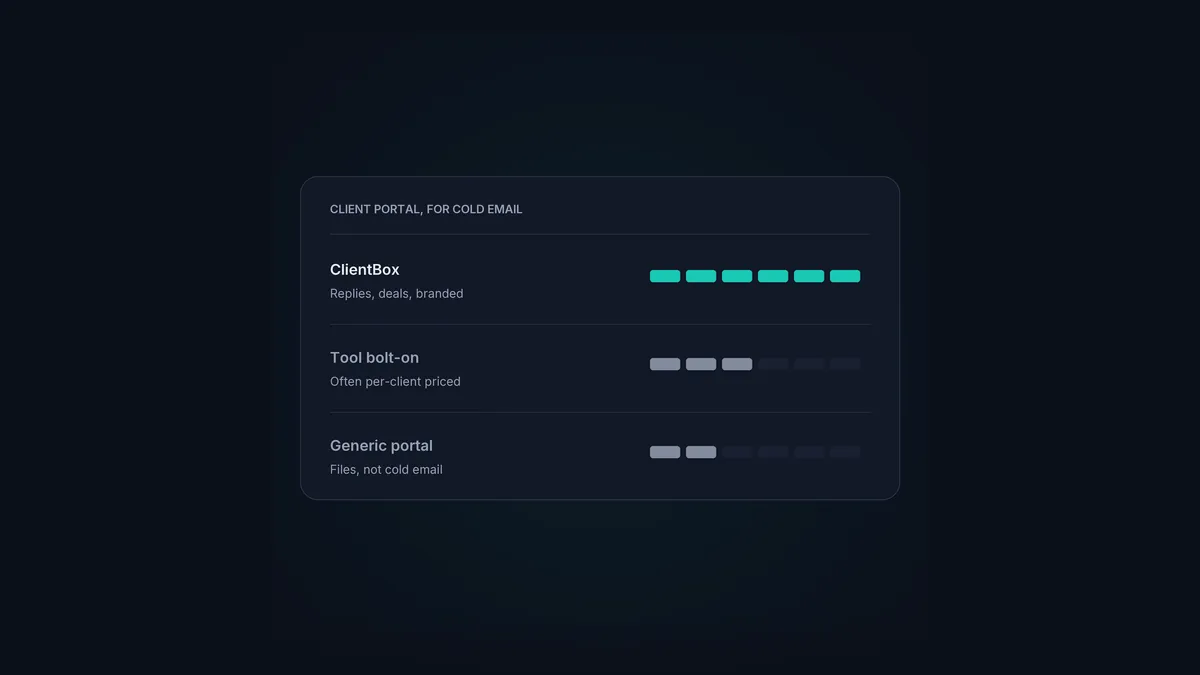
Generic client portal platforms. Built for any service business, these give you a branded space for files, messages and dashboards. They look professional and they’re flexible, but they know nothing about cold email, so you’re manually piping in results and there’s no concept of a positive reply or an opportunity. Fine as a general client hub; weak as a cold email portal.
Cold email tools with a portal bolted on. Some sending platforms add a client-facing view. The catch is usually the pricing and the depth: several charge per client for white-label, which punishes you as you scale, and some major sending tools have no real client portal at all. Worth checking exactly what’s included and what it costs per client before you commit.
A purpose-built cold email client portal. This is what ClientBox is. It’s built into HotHawk specifically for cold email agencies, so it does the cold-email-specific things a generic portal can’t.
ClientBox, what it does
ClientBox white-labels the client-facing results, on your own domain and branding, so clients log in to what feels like your own software and never see HotHawk underneath. Concretely, each client gets:
- A reporting dashboard you control section by section, live, so they see exactly the stats you want to share.
- A white-label inbox where you deliver their positive replies, with control over which reply types show, so they see the wins without the noise.
- A shared opportunities board, where you turn positive replies into opportunities and track live deals together.
- A LinkedIn inbox via HeyReach in the same portal, plus blocklist management clients can run themselves.
And the pricing model is the right way round: unlimited client workspaces are included on the Scale and Infra plans, so adding your tenth client doesn’t add to your bill. The detail is on the ClientBox feature page, and how to use ClientBox is the hands-on setup.
A few common questions
What is client portal software for a cold email agency? A branded place, ideally on your own domain, where each client logs in to see their cold email results: reporting, positive replies, and tracked opportunities. For cold email it needs to deliver replies and track deals, not just share files like a generic portal.
Why not just use a generic client portal? Generic portals aren’t built for cold email, so they have no concept of a positive reply or an opportunity, and you end up manually piping results in. A purpose-built cold email portal delivers the replies and tracks the deals automatically, which is the part clients actually care about.
How much does client portal software cost? It varies, and the pricing model matters more than the headline number. Per-client fees grow your costs as you scale; unlimited-workspace pricing doesn’t. HotHawk includes ClientBox with unlimited client workspaces on its Scale and Infra plans.
For a cold email agency, the right client portal is a retention engine, not an afterthought. Judge it on whether it delivers positive replies, tracks opportunities, runs under your brand, and prices sanely as you grow. For the full agency picture, see the cold email agency guide.
