How to Test Your Email Deliverability: Free and Paid Methods Explained
HotHawk is cold email software for serious outbound teams.
Special offer
Get 50% more sending, FREE.
50% extra sending on any plan, every month.
On this page
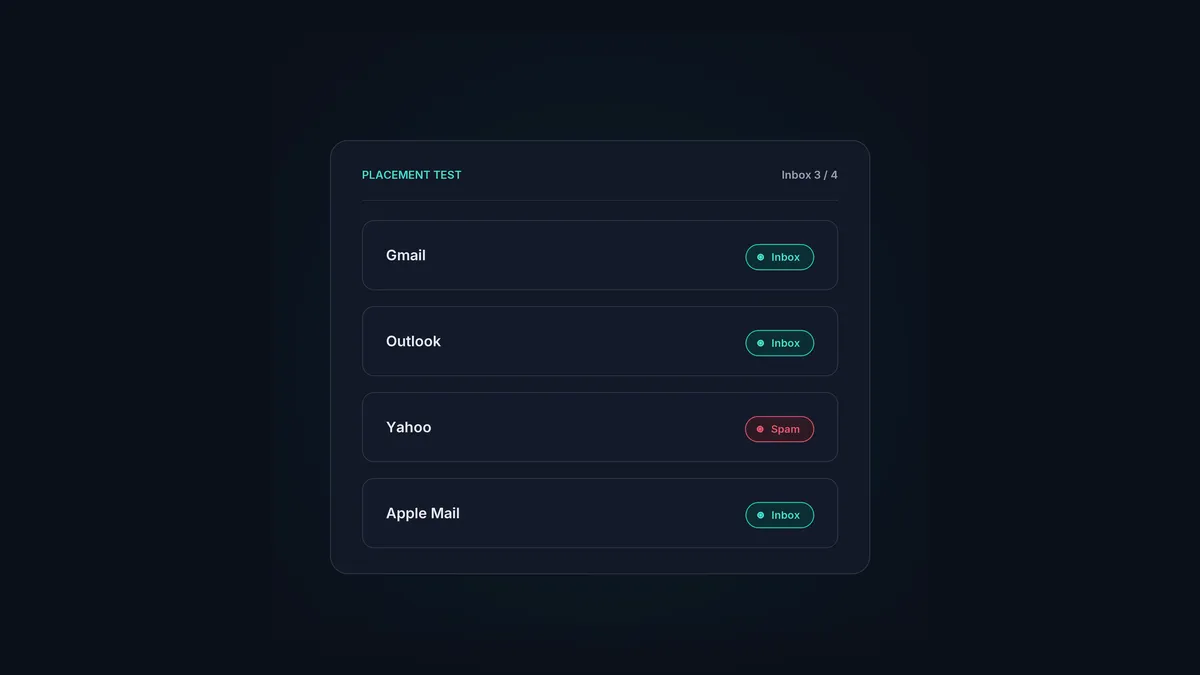
Testing your deliverability means checking where your emails actually arrive, inbox, spam, or nowhere, before you point a campaign at a real list. It catches the stuff you can’t see from your side: authentication gaps, spammy content, and blacklist problems quietly tipping your mail into junk. Sending without testing is flying blind, and at cold email volume that gets expensive fast.
This covers the methods that matter, free and paid, and what each one actually tells you. None of them gives you the whole picture on its own, so the real answer is using a few together.
The short version
- Deliverability testing shows where your mail arrives across providers, not just that it sent.
- Free methods cover the basics: authentication, spam scoring and blacklist checks.
- Paid seed-list tools show inbox-versus-spam placement across loads of providers.
- Google Postmaster Tools gives ongoing reputation and spam-rate data for Gmail.
- Test before launch, then keep watching after, because placement drifts.
What you’re actually testing
“Deliverability” rolls a few separate questions into one, and good testing answers each:
- Is my authentication right? Do SPF, DKIM and DMARC pass and align?
- Is my content tripping filters? Does the message itself score as spammy?
- Am I on a blacklist? Is my domain or IP sitting on a list providers check?
- Where does my mail actually arrive? Inbox or spam, and does it change by provider?
- Which way is my reputation heading? Healthy and steady, or drifting?
One tool rarely answers all five, which is why you layer them.
Free methods
You can get a long way without spending anything:
- Spam-score testers (like mail-tester). Send a test email to a generated address and get a score with the detail behind it: authentication results, spam-trigger words, broken links, config issues. The quickest way to catch the obvious stuff before launch.
- Google Postmaster Tools. Free from Google, it shows your domain reputation for Gmail, your spam complaint rate, and authentication pass rates. If you send to Gmail addresses at all, it’s the most useful free signal you’ve got, and it’s ongoing rather than a one-off.
- Blacklist checkers (like MXToolbox). Check whether your domain or sending IP has turned up on the major blacklists. If you’re listed, that alone can explain poor placement. The full recovery process is in email domain blacklist check.
- A manual seed test. Send to a handful of your own addresses across Gmail, Outlook and a couple of others, and see where it arrives. Crude, but it gives you a real read for nothing.
That covers the fundamentals. What it won’t give you is broad, reliable placement data across loads of providers at once.
Paid methods
Once you’re sending at real volume, paid tools start to earn their cost:
- Seed-list placement tests (like GlockApps and similar). You send to a provided list of seed addresses across dozens of providers, and the tool reports exactly where each one arrived: inbox, spam, or missing. It’s the clearest read on real placement you’ll get, and hard to replicate for free at scale.
- Ongoing deliverability monitoring. Some services track placement and reputation continuously and ping you when something slips, which matters because deliverability never sits still.
What you’re paying for is breadth and reliability: dozens of providers, repeatable, with placement broken down rather than guessed at.
How to actually use them together
A practical routine for a cold email team:
- Before launch: run your real campaign content through a spam-score tester to catch content and authentication issues, and check your domain and IP against the blacklists.
- As you go live on volume: run a seed-list placement test to see where your mail is actually arriving across providers.
- Ongoing: keep an eye on Google Postmaster Tools and your own numbers, bounce rate and reply rate, which dip before placement properly collapses.
The whole point is catching problems early. A flat reply rate is often the first sign you’re being spam-foldered, and by then you’ve already burned sends. Testing turns a slow, invisible failure into something you can actually see and fix.
Where your own data comes in
Your sending tool is a deliverability instrument in its own right. HotHawk’s analytics track human reply rate and bounce rate per campaign and across workspaces, and deliberately ignore vanity open tracking, because those are the numbers that actually predict whether you’re reaching people. A reply rate quietly sliding is your earliest warning, often before a placement test would catch it. Run that alongside the external tools and you see trouble coming from both directions.
Metrics that predict deliverability
HotHawk tracks human reply rate and bounces, the numbers that move before placement does, so you catch a deliverability problem while it is still small.
See the analyticsA few common questions
How do I test if my emails are going to spam? Run your real campaign content through a spam-score tester for authentication and content issues, then use a seed-list placement test to see where it arrives across providers. Back both up with Google Postmaster Tools for ongoing Gmail data.
Are free deliverability tests good enough? For the basics, yes: authentication, spam scoring and blacklist checks are all free. What free tools miss is broad, reliable placement data across loads of providers at once, which is where paid seed-list tools earn their keep.
How often should I test deliverability? Test before every significant launch, and keep watching after with Postmaster Tools and your own bounce and reply numbers. Placement drifts as your reputation shifts, so a one-off test is never enough.
Testing is the difference between knowing where your mail arrives and hoping. Use free tools for the fundamentals, paid seed lists for real placement, and your own reply and bounce data as the early-warning system. For how it fits the bigger picture, see the deliverability guide.
