HotHawk vs Warmbox
Warmbox is standalone warmup you bolt onto whichever sender you already use, on a pool that mixes many providers. HotHawk warms only real Google and Microsoft inboxes, built into the platform that sends.
Choose HotHawk if
You sell to people on Google and Microsoft, you want warmup and sending in one tool rather than two bills, and you would rather not pay extra for every team member you add.
Choose Warmbox if
You want cheap, highly customisable standalone warmup across a wide spread of providers, and you are happy to keep it separate from the sender you run.
Last updated June 2026
HotHawk is cold email software for serious outbound teams.
Special offer
Get 50% more sending, FREE.
50% extra sending on any plan, every month for as long as you're with us.
Side by side
HotHawk and Warmbox, line by line.
The split is fairly clean. We win on a Google and Microsoft pool, native bundling and a reply inbox. Warmbox wins on cheap, customisable warmup across more provider types. The detail sits underneath.
| Feature | HotHawk | Warmbox |
|---|---|---|
| Warmup pool | ||
| Warmup pool type | Real Google and Microsoft inboxes only | Mixed real-inbox network |
| Restricted to Google and Microsoft | No, mixed ESPs | |
| Disclosed pool size | 50,000+ | ~35,000 (third-party) |
| AI human-like warmup content | ||
| Custom ramp schedules | ||
| Reputation protection | ||
| Mailbox quarantine + instant bounce suspension | Not documented | |
| Per-mailbox daily limits | Set per plan | |
| Platform | ||
| Warmup bundled in a full sender | No, standalone | |
| Master Inbox for replies + team routing | ||
| White-label client portal | ClientBox, included on Scale | |
| Pricing | ||
| Pricing model | Flat, metered on send volume | Per plan + per team member |
| Free trial | 7 days, no card | Not clearly advertised |
| Starting price | $97/mo all-in | $15/mo (annual Solo, 1 inbox) |
Comparison based on publicly available information from warmbox.ai and hothawk.ai, accurate as of June 2026. Warmbox pricing is set per plan by inbox count and daily volume, with an additional charge per team member; the figures shown are annual billing. Pool sizes are vendor or third-party figures and are not independently audited. "Not documented" means the feature is not confirmed in Warmbox’s public material, not that it is necessarily absent. Warmbox is a trademark of its respective owner; HotHawk is not affiliated with or endorsed by Warmbox.
Where HotHawk wins
Warmup on Google and Microsoft, inside the sender.
Warmbox is a separate tool with a mixed network behind it. Ours is part of the platform you send from, and the pool is held to real Google and Microsoft inboxes for one reason: that is who most B2B prospects are on, so that is the engagement worth earning.
One pool, two providers
Our warmup runs on a pool of more than 50,000 real Google and Microsoft inboxes, and nothing else. Warmbox spreads its network across many providers, Yahoo, iCloud, AOL, Yandex, Zoho, SendGrid and more, which is wider but lower signal when the people you sell to are on Workspace and Microsoft 365.
Built in, not bolted on
Warmbox is a standalone tool you point at a mailbox you send from somewhere else. HotHawk’s warmup is part of the platform that also sends the campaign, so there is no second login, no second bill and nothing to wire together.
Bad mailboxes leave the pool
A risky mailbox gets quarantined and pulled out of the warmup pool, and any inbox that starts bouncing is suspended on the spot. That keeps the rest of your fleet away from a problem account.
No charge per seat
Warmbox bills per team member on top of the plan. We do not. Add your whole team and the price is the same, because the only thing we meter is how much you send.
Where HotHawk wins
The best Master Inbox in cold email.
A warmup tool warms inboxes and stops there. Once the replies start coming back, you are on your own with Warmbox. HotHawk catches every reply and gets it to the right rep, which is the part of cold email that actually turns into meetings.
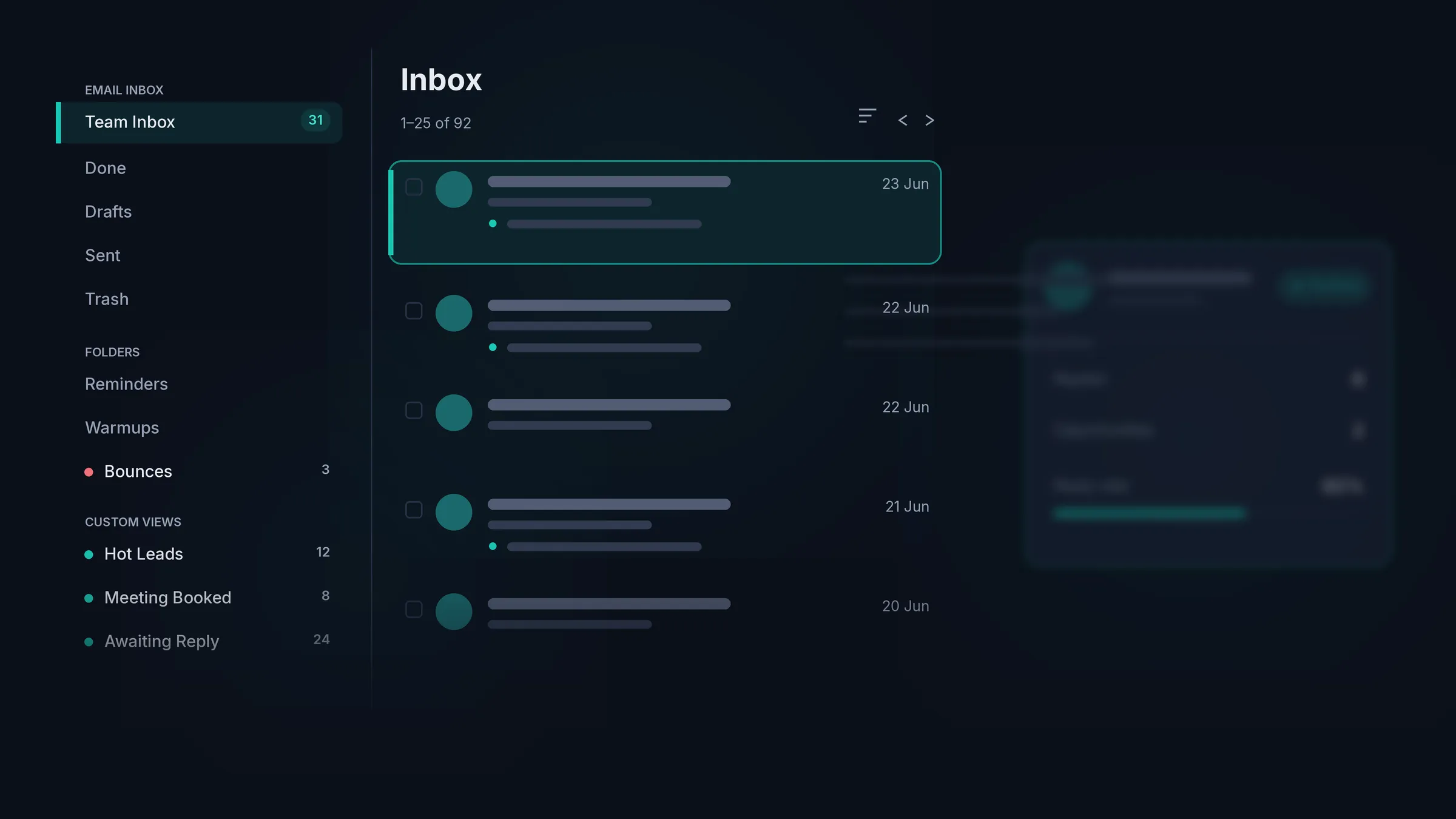
Catches the replies others miss
It pulls in forwarded replies, CC’d colleagues, out-of-office notices and the people who reply from an address you never emailed. A standalone warmup tool has no inbox at all, so this is a whole job it does not do.
Every reply lands with an owner
Round robin shares new replies across the team and mailbox groups route by the inbox a reply arrived on, assigned the moment it lands. No pile of unowned replies going cold.
A view per rep
Give each rep a My Inbox of just their own replies, or run one shared team view. You set who sees what, and a manager keeps the full picture either way.
Warm leads first
Replies are sorted into positive, negative and out of office for you, so the team works the people who want to talk before anyone else gets a look in.
Where Warmbox wins
Cheap, customisable warmup across more providers.
Warmbox starts at around $15 a month and warms across a much longer list of providers than we do, with a lot of dials to turn: Growth, Flat, Random and fully custom warmup styles, auto-remove-from-spam, auto-reply and mark-as-favourite. If you already have a sender you are happy with, you only want to warm a couple of mailboxes, or you need to warm Yahoo, iCloud, SES or Zoho accounts a Google and Microsoft pool will not touch, Warmbox is the cheaper, more flexible buy for that job.
We made a narrower bet on purpose. Warmup that lives inside the sender, on real Google and Microsoft inboxes only, for teams whose prospects are on those two providers. That trade buys focus, not breadth.
The verdict
Which one fits you?
Pick HotHawk
For warmup on real Google and Microsoft inboxes, built into a sender with the Master Inbox and ClientBox, at one flat price with no per-seat fee.
Pick Warmbox
For cheap, highly customisable standalone warmup across a wide spread of providers, kept separate from the sender you already run.
FAQ
HotHawk vs Warmbox questions.
Is Warmbox a sending tool or just warmup?
Just warmup. Warmbox is a standalone warmup service you connect to a mailbox you send from elsewhere, like Instantly, Smartlead or Lemlist. It does not run campaigns or manage replies. HotHawk is the full sender with warmup built into every plan, so the warmup and the sending sit in one tool.
What is the difference in the warmup pool?
Warmbox warms across a mixed network of around 35,000 real inboxes spanning Google and Outlook plus Yahoo, iCloud, AOL, Yandex, Zoho, SendGrid and other providers. HotHawk warms only against a pool of more than 50,000 real Google and Microsoft inboxes. If the people you email are on Workspace or Microsoft 365, engagement from those same providers is the signal that counts, which is why we keep the pool restricted to them.
How much does Warmbox cost?
Warmbox is priced per plan by inbox count and daily volume, then bills again per team member. On annual billing the Solo plan is around $15 a month for one inbox at 50 emails a day, the Start-up plan around $69 for three inboxes, and the Growth plan around $139 for six. There is no clearly advertised free trial, and Paddle payments are non-refundable. HotHawk is $97 a month all-in, with no per-seat fee and a 7-day trial with no card.
Does Warmbox have a free trial?
Not one it advertises clearly, and its payments through Paddle are described as non-refundable, so you are effectively paying to try it. HotHawk runs a 7-day trial with no card required, so you can warm and send before you decide.
Is Warmbox or HotHawk better for customisable warmup?
If pure customisation across many ESP types is the goal, Warmbox is genuinely strong. It offers Growth, Flat, Random and fully custom warmup styles, auto-remove-from-spam, auto-reply and mark-as-favourite, across a long list of providers. HotHawk gives you AI-led warmup with custom ramps too, but deliberately keeps the pool to real Google and Microsoft inboxes rather than chasing breadth.
Can I keep my sender and switch warmup to HotHawk?
Not in the way you would swap one standalone warmup tool for another. HotHawk is the sender as well as the warmup, so moving to it means bringing your sending across too, rather than only pointing a warmup tool at your mailboxes. If you want to replace Warmbox while keeping a separate sender, that is a different shape of decision worth being honest about.
Send cold emails that get delivered.Never miss a positive reply.
Serious deliverability paired with the best reply management in the market.
No credit card required.