HotHawk vs MailReach
MailReach is a standalone warmer and spam tester you bolt onto mailboxes you send from elsewhere, billed per inbox. HotHawk builds warmup into the sender itself, on a 50,000+ Google and Microsoft pool, for one flat price.
Choose HotHawk if
You want warmup that comes free inside the tool you send from, on a Google and Microsoft only pool, with the Master Inbox and ClientBox in the same login, at one flat price rather than a fee per inbox.
Choose MailReach if
You already have a sender you are happy with and want a strong standalone warmer plus a proper inbox-placement spam tester laid over it, and per-inbox pricing is a fair trade for that.
Last updated June 2026
HotHawk is cold email software for serious outbound teams.
Special offer
Get 50% more sending, FREE.
50% extra sending on any plan, every month for as long as you're with us.
Side by side
HotHawk vs MailReach at a glance.
Both warm real Google and Microsoft inboxes, so that part is even. The split that matters is the model: we bundle warmup into a full sender, MailReach is a per-inbox add-on with a strong spam tester we do not match.
| Feature | HotHawk | MailReach |
|---|---|---|
| Warmup | ||
| Warms real Google and Microsoft inboxes | ||
| Disclosed warmup pool size | 50,000+ | 30,000+ |
| Google and Microsoft inboxes only | Accepts any SMTP | |
| Quarantine and instant suspension of bouncing mailboxes | Auto-pause on reputation drop | |
| The model | ||
| Sends your campaigns | ||
| Warmup bundled in, no separate bill | Per-inbox add-on | |
| Pricing unit | $97/mo flat, all-in | ~$25 per inbox/mo |
| Free trial | 7 days, no card | None on the warmer |
| Beyond warmup | ||
| Master Inbox for replies and team routing | ||
| White-label client portal | ClientBox | |
| Deliverability tooling | ||
| Inbox-placement spam tester | Yes, 30+ seed inboxes | |
| Per-provider reputation diagnostics | ||
Comparison based on publicly available information from mailreach.co and hothawk.ai, accurate as of June 2026. MailReach is billed per inbox warmed and its spam-test credits are capped (20 free a month, extra packs charged separately); figures vary by tier and billing term, so check the live calculator for the latest. Pool sizes are each vendor’s own disclosed figure, not an audited count. MailReach is a trademark of its respective owner; HotHawk is not affiliated with or endorsed by MailReach.
Where HotHawk wins
Warmup built into the sender, not bolted on.
MailReach warms mailboxes, then hands them back for you to send from somewhere else, and charges per inbox to do it. HotHawk warms the inboxes it already sends from, on every plan, with no extra line on the invoice.
Warmup comes with the sender
You do not buy warmup as a line item on top of your sending tool. It runs on every HotHawk plan from $97 a month, with unlimited mailboxes warmed, so the bill does not climb every time you add an inbox.
Google and Microsoft only
The pool is 50,000+ real Google and Microsoft inboxes, the providers your B2B prospects actually use. MailReach is primarily Google and Microsoft too, but it will warm any SMTP account you connect, so the signal is less tightly controlled.
Bad mailboxes get pulled
A mailbox that starts bouncing is suspended on the spot, and risky ones are quarantined before they drag the pool down. MailReach pauses warmup when a reputation score drops; we act at the mailbox level the moment it goes wrong.
Real conversations, hidden from you
The AI holds genuine business-relevant threads, opening, replying and starring, and all of it stays out of your inbox. That part is parity with MailReach, and we will not pretend otherwise.
Where HotHawk wins
The best Master Inbox in cold email.
A warmer ends its job the moment a prospect replies. MailReach has no inbox, so the reply goes wherever your sender drops it. HotHawk catches every reply and puts it in front of the right rep, which is the half of cold email a standalone warmup tool never touches.
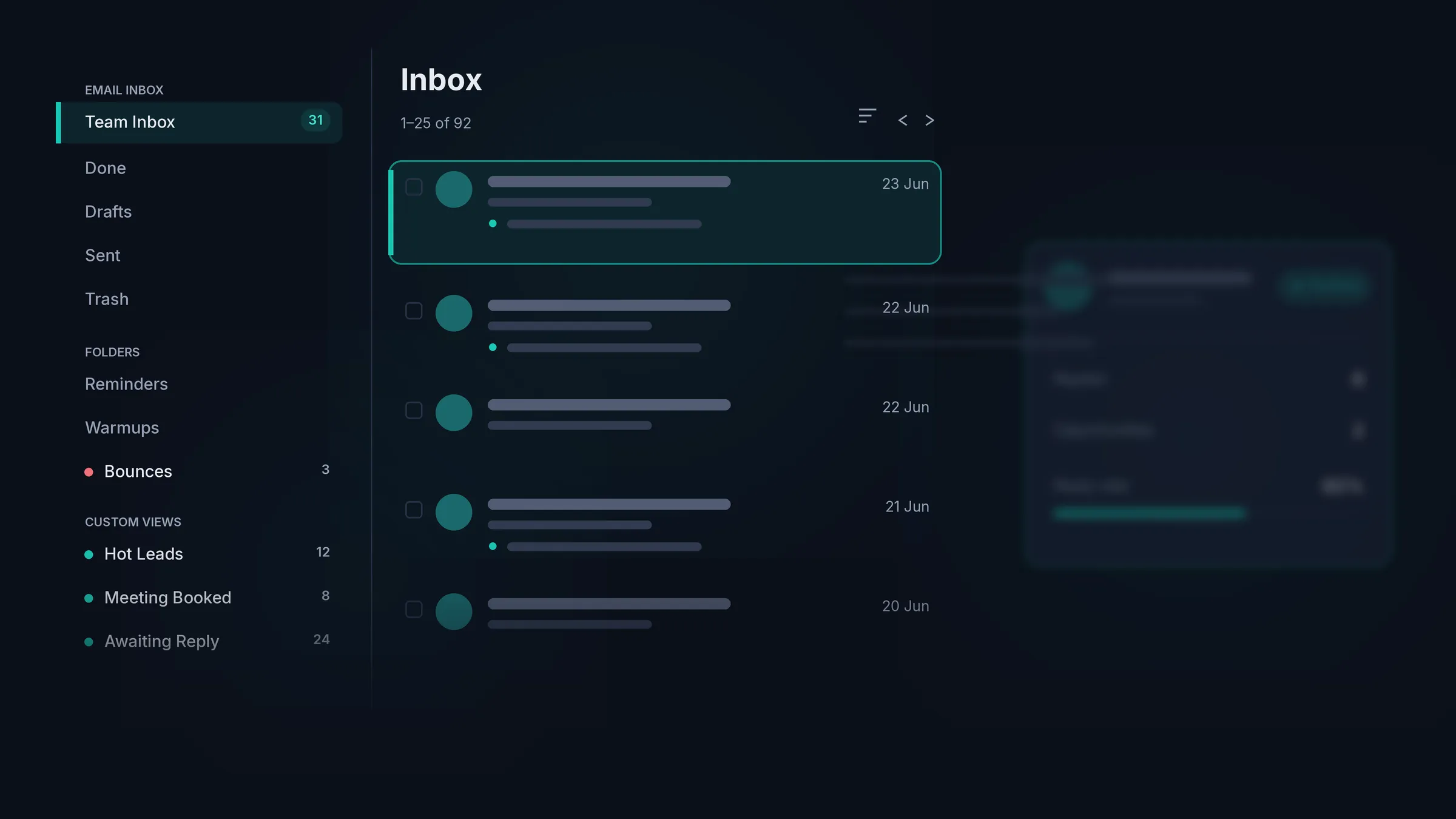
It catches every reply
The Master Inbox connects to your real mailboxes and pulls in forwarded replies, CC’d colleagues, out-of-office notes and the people who reply from an address you never emailed. MailReach has no inbox at all, so none of this exists once you have warmed up.
Every reply gets an owner
Round robin shares new replies evenly across the team, and mailbox groups route them by the inbox they arrived on. Nobody has to remember to pick replies up by hand.
Each rep gets their own view
Give every rep a My Inbox of just their replies, or run one shared team inbox. Managers keep the full picture either way.
The warm ones surface first
Replies are sorted into positive, negative and out of office, so the team works the people who want to talk before chasing the rest.
Where MailReach wins
The spam tester is genuinely good.
MailReach pairs its warmer with a proper inbox-placement tester. It fires a test to 30+ real seed inboxes and shows you exactly where a campaign ends up, primary, promotions or spam, broken down by provider, alongside DNS and authentication checks, blacklist monitoring and a reputation score per mailbox. That is a mature, dedicated diagnostic, and HotHawk does not market anything like it. We run no open or link tracking by design, so if you want a standalone tool to spam-test a sending stack that has none, MailReach is the better buy for that job, and it has the support reputation to match.
We took a different route. Rather than sell warmup and testing as a layer on top of someone else's sender, we built warmup into ours and put the work into sending and the replies that come back.
The verdict
Which tool should you pick?
Pick HotHawk
When you want warmup free inside the platform that sends, on a Google and Microsoft only pool with quarantine and instant suspension, plus the Master Inbox and ClientBox, at one flat $97 a month.
Pick MailReach
When you already have a sender you like and want a strong standalone warmer and a proper inbox- placement spam tester layered over it, and the per-inbox cost is worth it for that.
FAQ
HotHawk vs MailReach questions.
What is the difference between HotHawk and MailReach?
MailReach is a standalone tool that warms and spam-tests mailboxes you send from somewhere else. It does not send your campaigns or manage your replies. HotHawk is the platform that sends, with warmup built into every plan, plus the Master Inbox for replies and ClientBox for agencies. Put simply, MailReach is a bolt-on; HotHawk is the whole thing.
How much does MailReach cost?
MailReach is priced per inbox warmed, around $25 a mailbox per month, with roughly 20% off in the first 30 days or on annual billing. Spam-test credits are separate: 20 free a month, then extra packs charged on top. There is no free trial of the warmer, so you pay before you test. HotHawk is $97 a month all-in, with unlimited mailboxes warmed and a 7-day trial, no card.
Does HotHawk warm real Google and Microsoft inboxes like MailReach?
Yes, and this is genuine parity. Both warm against real Google and Microsoft accounts with AI-led, human-like conversations, and both hide the warmup mail from your inbox. The honest differences are the model and the extras: our warmup is bundled into the sender on a 50,000+ pool restricted to Google and Microsoft, with quarantine and instant suspension of bouncing mailboxes, where MailReach is a per-inbox add-on that also accepts any SMTP account.
Does HotHawk have a spam tester like MailReach?
No, and this is where MailReach is the stronger tool. Its inbox-placement tester fires to 30+ seed inboxes and breaks results down by provider, alongside DNS, blacklist and per-provider reputation checks. That is a mature standalone diagnostic we do not market. HotHawk focuses on warmup, sending and replies, and runs no open or link tracking by design.
Can I use MailReach for warmup and HotHawk for sending?
You can, but you would be paying twice for warmup, since HotHawk already includes it. The case for keeping MailReach alongside HotHawk is really its spam tester, not its warmer. Most teams either run HotHawk on its own and use its native warmup, or keep MailReach purely for inbox-placement testing on a stack that has none.
Can I switch from MailReach to HotHawk?
Yes. You connect your own mailboxes over OAuth or SMTP, and warmup starts automatically with no separate tool to wire up. The difference you feel first is that there is no per-inbox warmup bill any more, and your sending and replies now live in the same place.
Send cold emails that get delivered.Never miss a positive reply.
Serious deliverability paired with the best reply management in the market.
No credit card required.